SmartgridOne logo
SmartgridOne logo
Accessories
AppCertificates
Configuration from A to Z
Control response timeController
Customer Specific
Devices
Boiler
Cloud
Energy Meter
Ev Charging Station
Gas Meter
Heat Pump
New integrations
Plc
Pv Hybrid And Battery Inverters
a-TroniXABB, FIMERADS-TecAforeAlphaESSAmpowrAngileAnklous PV, Hybrid and Battery InvertersAPsystemsAteps Battery
Autarco
BeauventC-BatteryCellpowerChisageDanfossDeltaDET Power PV, Hybrid and Battery InvertersDEYEDiehl-AkoDMEGC InvertersDynessDysun EnergyEcosourcenEenovanceElecnovaEnbrilionEnergreenEnerlutionEnjoyPowersEnphaseEP EquipmentESY InvertersEVEFortona
Foxess
FraxFroniusGoodWeGotionGreener / Alfen
Growatt
HiteHithium
Huawei
Hypontech
Hyxipower
iWellJinkoKacoKehuaKostal
Kstar
MarstekMastervoltMidTeQMotomaOctave EnergyOmniPowerPixiiPower-SonicPoweroadPylontechRefurbRegitecRenonRitarSAJSchneider SunEzySchucoSCUSE2200H till SE6000HSessySigenergySinexcel
Sma
API
Battery
Sunny Boy StorageSunny IslandSunny Island XSunny Tripower Storage
Data Manager M
Hybrid
Solar
Socomec
Sofar
Solaredge
SolarlogSolarMaxSolarwattSolaxSolinteg
Solis
Solplanet
Sungrow
SunwaytechSunwoda
Sunwoda
Sus-PowerTeclomanTeploreTesvoltVaconVictronVolstoraWattsNextWeihengXantrexZendure SolarFlowZetaraZeversolar
Switched Loads
Water Meter
External Signals
InstallationLicenseNetworkQuick StartSafety, maintenance and legal noticesSpecificationsStatus LEDs
Toolbox
Troubleshooting
Video tutorialsWiring & connectivity guidelines
DevicesPv Hybrid And Battery InvertersSmaBattery
Logo

Supported Devices

Device TypeVariantsModbus TCP (Ethernet)Minimum device firmware version
Sunny Tripower StorageSunny Tripower Storage 30 (STPS30-20)✅03.02.33.R
Sunny Tripower Storage 50 (STPS50-20)
Sunny Tripower Storage 27 US208 (STPS27-US-20)
Sunny Tripower Storage 40 US480 (STPS40-US-20)
Sunny Tripower Storage 60 US480 (STPS60-US-20)

Wiring

For correct ethernet wiring: Follow the the guidelines for ethernet wiring.

Configuration

  1. Connect with your computer on the same LAN network as the SMA Sunny Tripower Storage.
  2. In your web browser, surf to the IP address of the device.
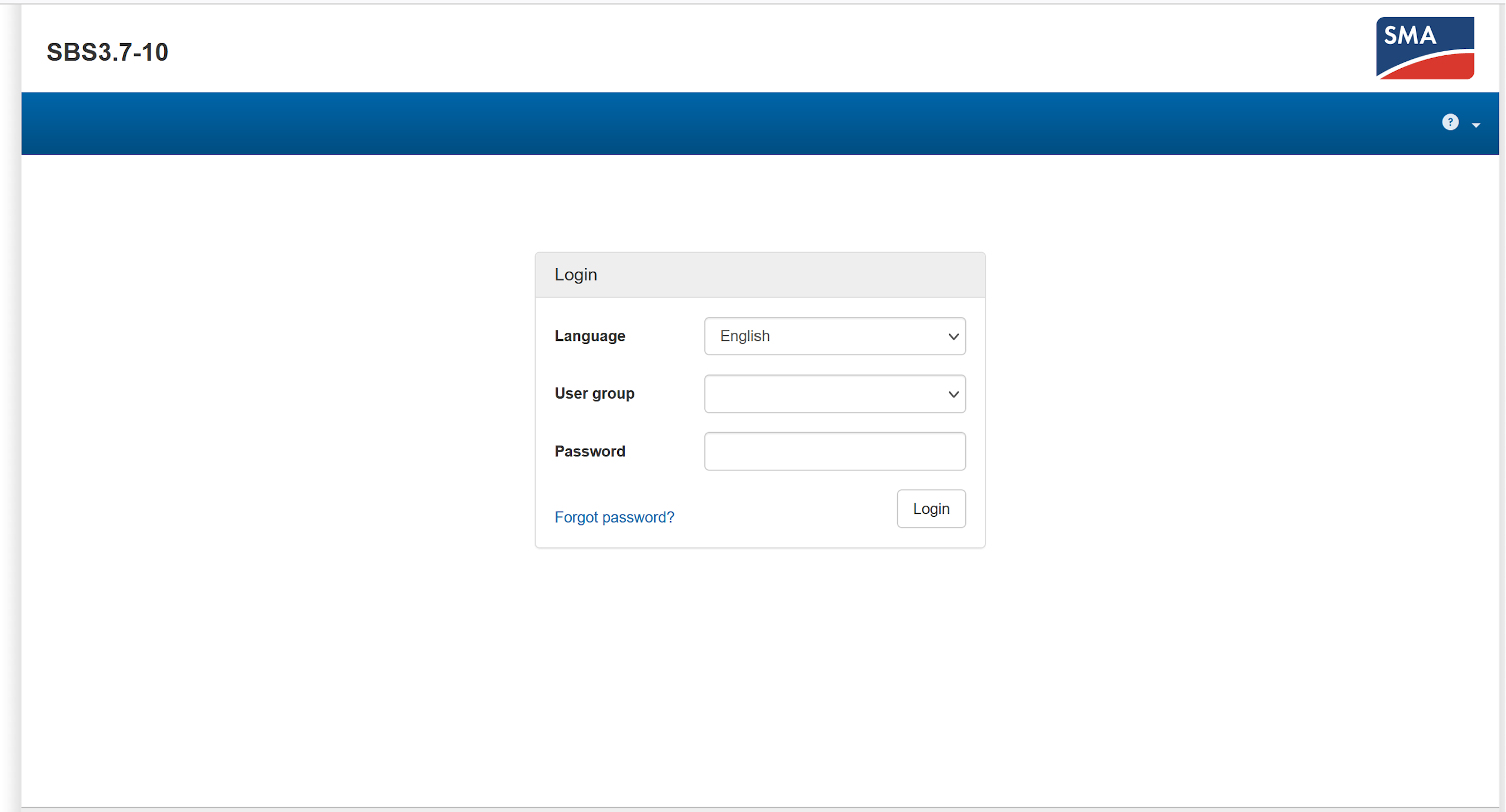
  3. Log in as "Installer."
Image
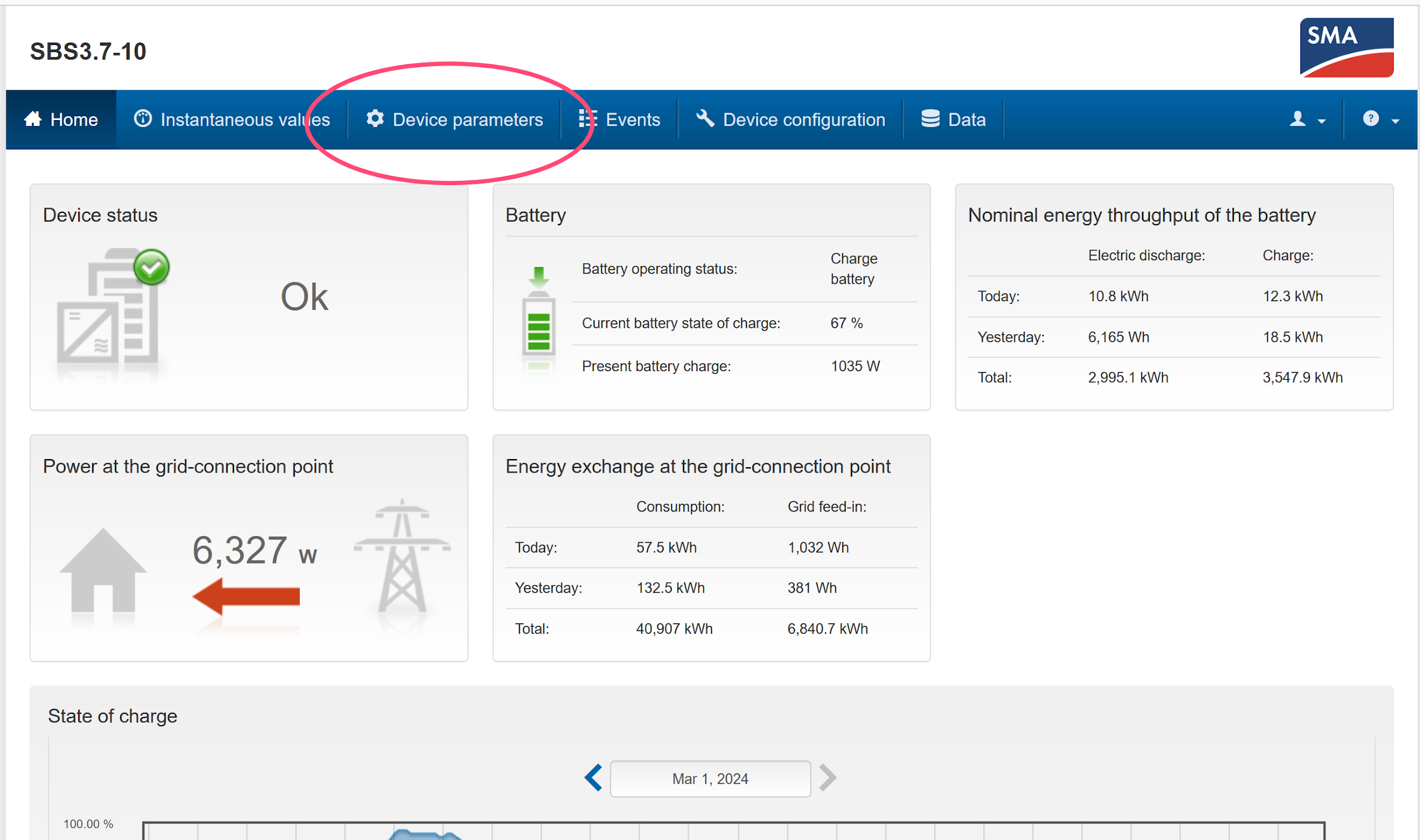
  1. Go to the device parameters tab.
Image
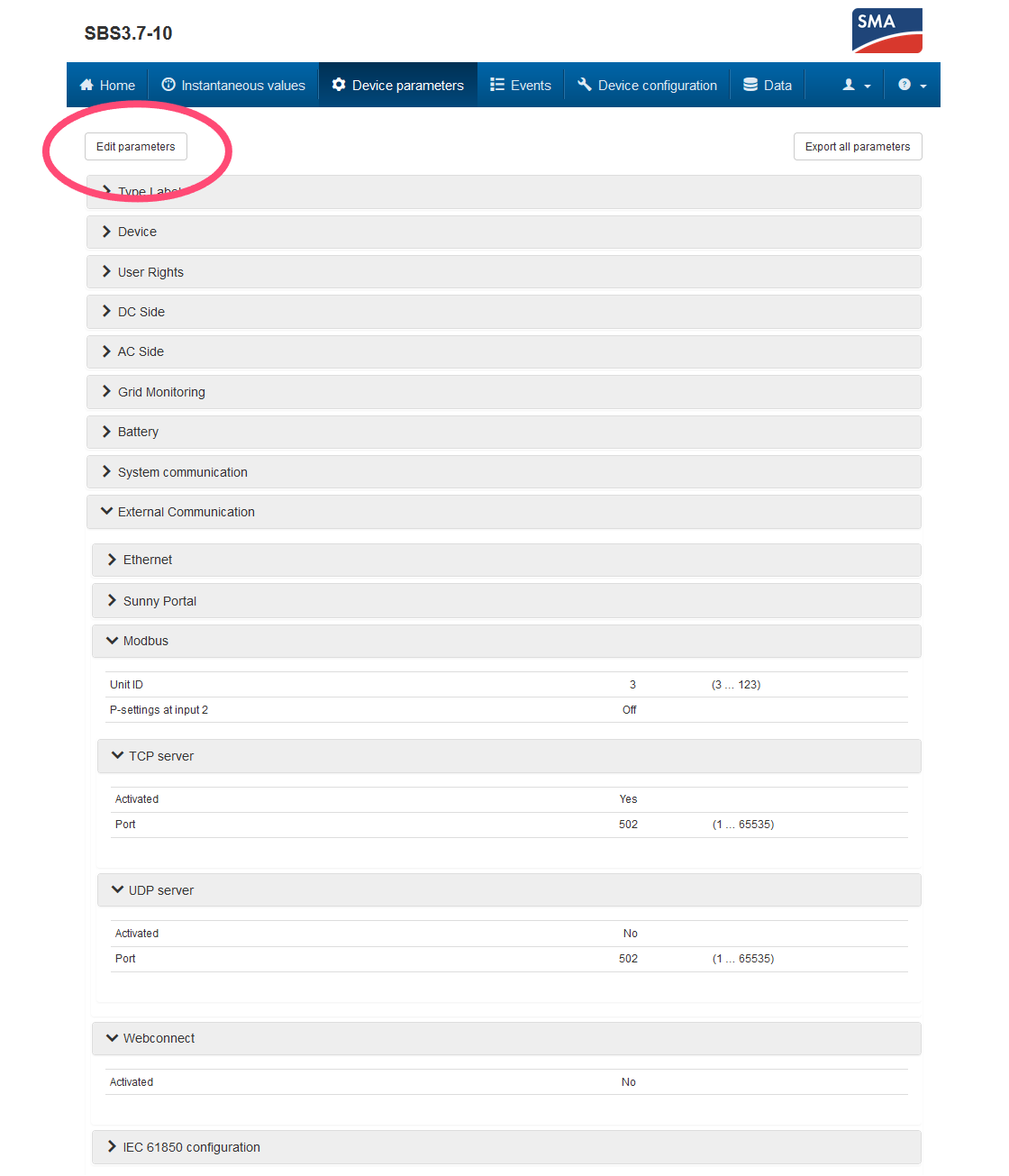
  1. Click "Edit parameters."
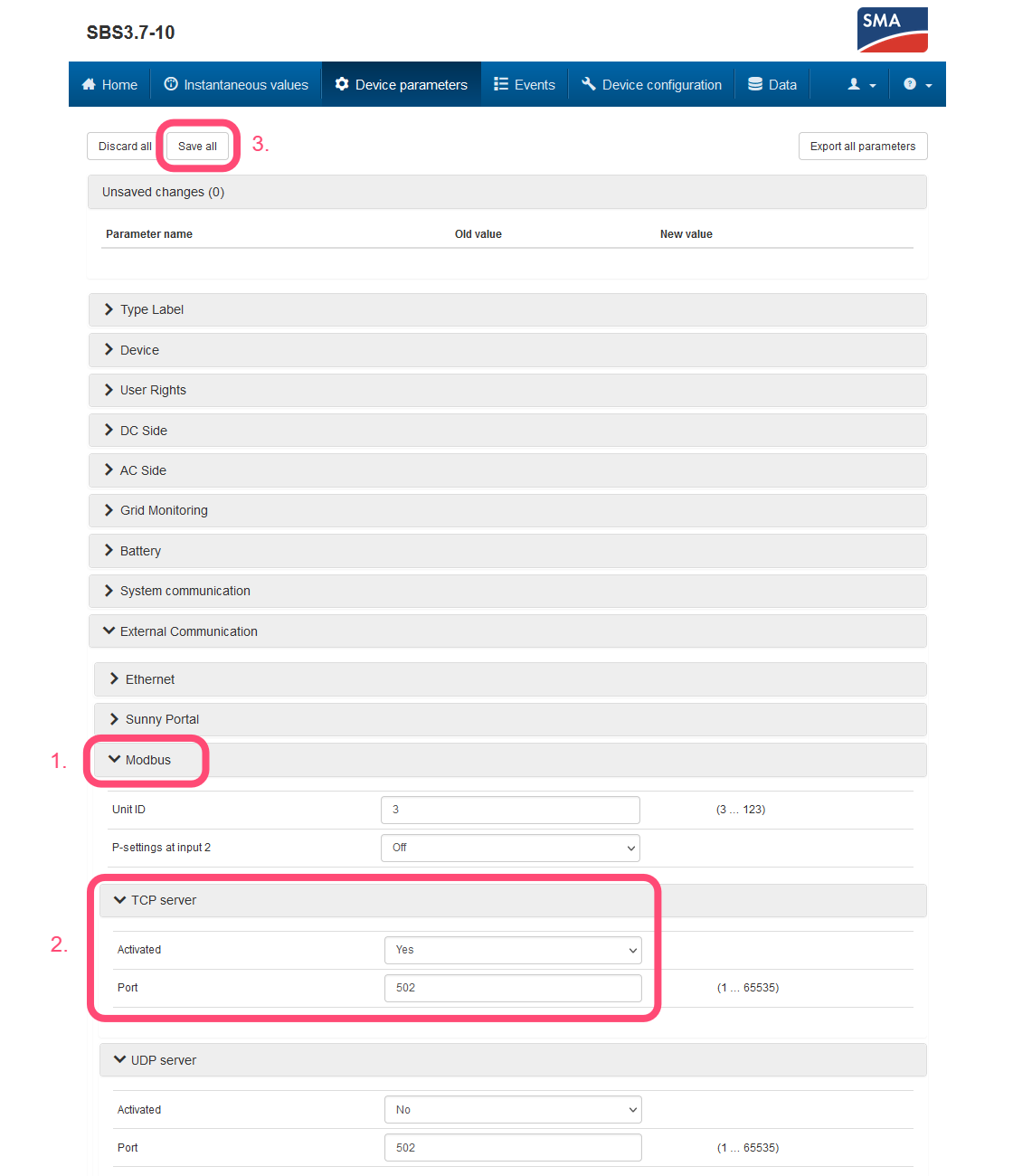
  2. Open the "External Communication" dropdown menu → "Modbus" → "TCP server."
  3. Set "Activated" to "Yes" and "Port" to "502".
  4. At the top of the page, click "Save all."
Image
Image

Sunny Island X

Previous Page

Data Manager M

Next Page

On this page

Supported DevicesWiringConfiguration