

SmartgridOne logo
SmartgridOne logo
Accessories
AppCertificates
Configuration from A to Z
Control response timeController
Customer Specific
Devices
Boiler
Cloud
Energy Meter
Ev Charging Station
Gas Meter
Heat Pump
New integrations
Plc
Pv Hybrid And Battery Inverters
a-TroniXABB, FIMERADS-TecAforeAlphaESSAmpowrAngileAnklous PV, Hybrid and Battery InvertersAPsystemsAteps Battery
Autarco
BeauventC-BatteryCellpowerChisageDanfossDeltaDET Power PV, Hybrid and Battery InvertersDEYEDiehl-AkoDMEGC InvertersDynessDysun EnergyEcosourcenEenovanceElecnovaEnbrilionEnergreenEnerlutionEnjoyPowersEnphaseEP EquipmentESY InvertersEVEFortona
Foxess
FraxFroniusGoodWeGotionGreener / Alfen
Growatt
HiteHithium
Huawei
Hypontech
Hyxipower
iWellJinkoKacoKehuaKostal
Kstar
MarstekMastervoltMidTeQMotomaOctave EnergyOmniPowerPixiiPower-SonicPoweroadPylontechRefurbRegitecRenonRitarSAJSchneider SunEzySchucoSCUSE2200H till SE6000HSessySigenergySinexcel
Sma
Socomec
Sofar
Solaredge
SolarlogSolarMaxSolarwattSolaxSolinteg
Solis
Solplanet
Sungrow
SunwaytechSunwoda
Sunwoda
Sus-PowerTeclomanTeploreTesvoltVaconVictronVolstoraWattsNextWeihengXantrexZendure SolarFlowZetaraZeversolar
Switched Loads
Water Meter
External Signals
InstallationLicenseNetworkQuick StartSafety, maintenance and legal noticesSpecificationsStatus LEDs
Toolbox
Troubleshooting
Video tutorialsWiring & connectivity guidelines
DevicesPv Hybrid And Battery Inverters
Logo

Supported Devices

Device TypeVariantsModbus TCP (Ethernet)RS485Curtailment
Elite Inverter8KW / 12KW❌✅✅

Wiring

You need to connect the battery tothe inverter, for that plug the red and black cables in the red and black battery port on the inverter, then you need to connect the two via the black cable as follow :
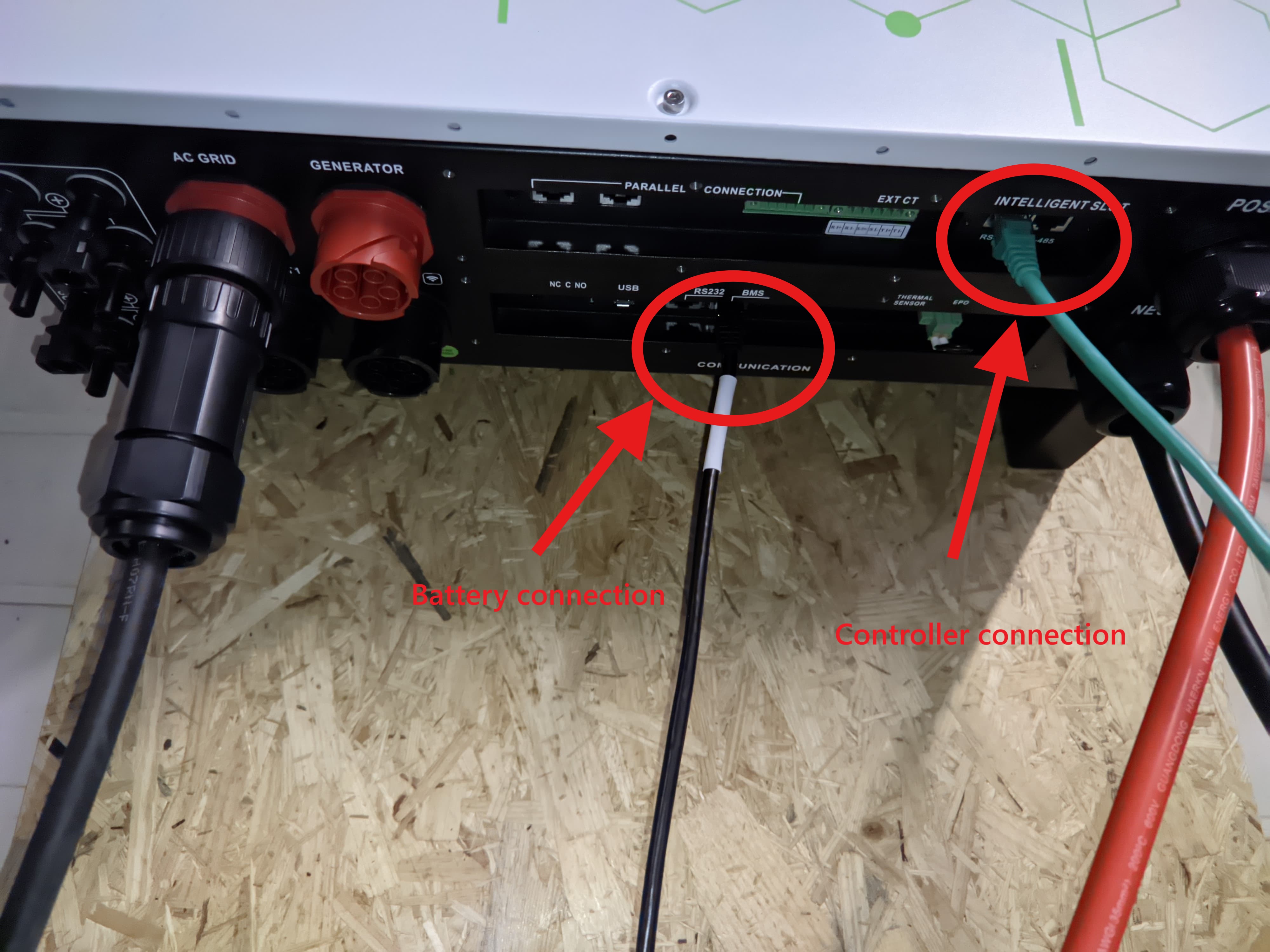
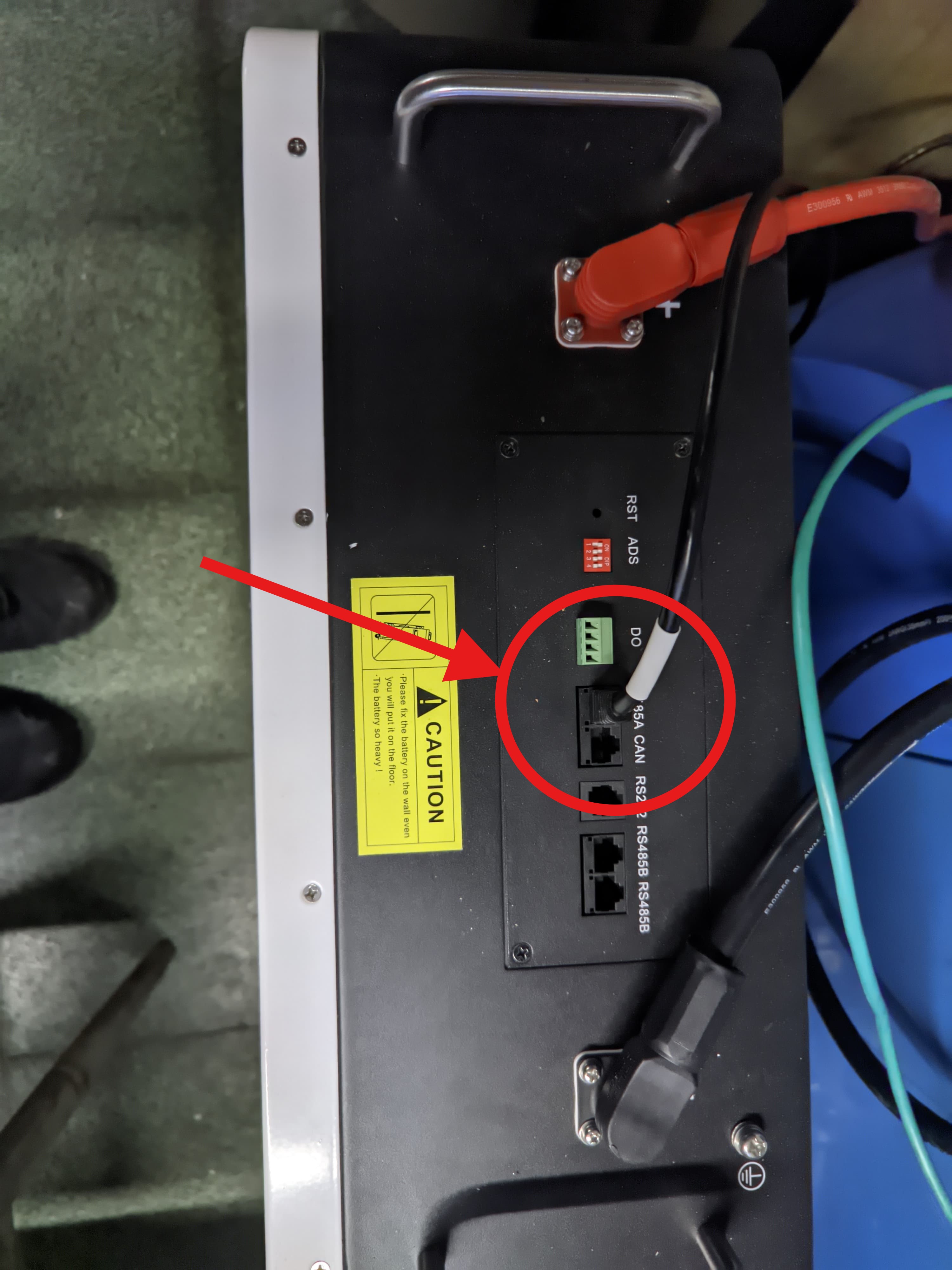
Inverter connection
Battery connection

RS485

To connect the SmartgridOne Controller controller to the inverter you will need a Modbus Card, put it in the intelligent slot of the inverter (you may need to remove the cache by unscrewing the two black plates, see the picture below). The Modbus Card configuration can be done according to this guide.
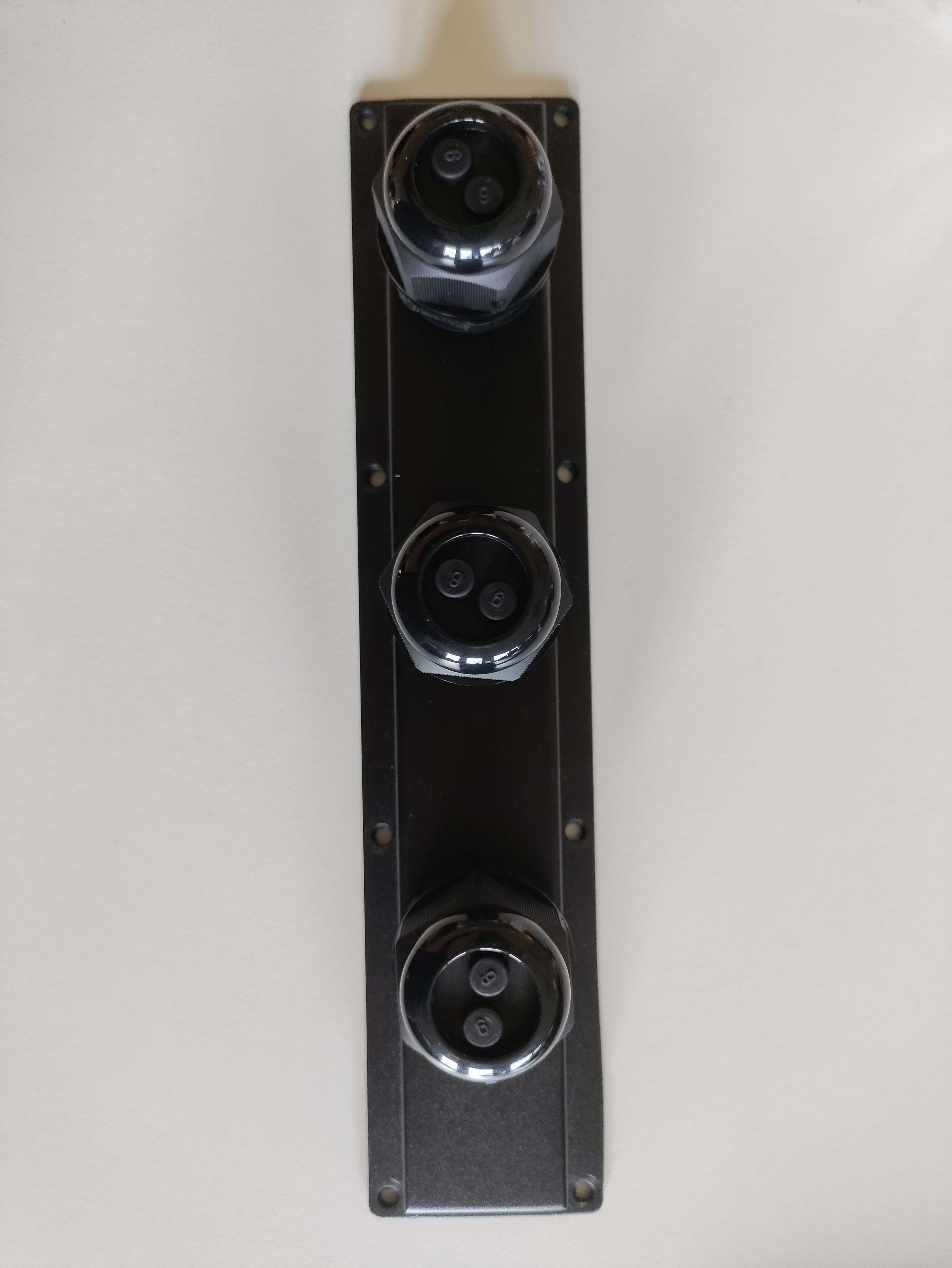
Inverter cache
Warning
NOTE: RS485 Device Addresses
  • You MUST give each device on the RS485 bus a unique address. Check the manual of the device on how to do this.
  • Use lower addresses first (1, 2, ...) because the SmartgridOne Controller will find them faster!
  • For each device, it is generally recommended to stick with the factory default baud rate, parity, and stop bits. The SmartgridOne Controller will scan on those first.

Once the Modbus Card is well configured, you can plug the cables into the controller, for that strip one end of your RS485 cable and take the cables corresponding to the pins 4 (usually blue) and 5 (usually blue and white). Then plug the pin 4 into the RS485B port of the controller and the pin 5 in the RS485A port of the controller.
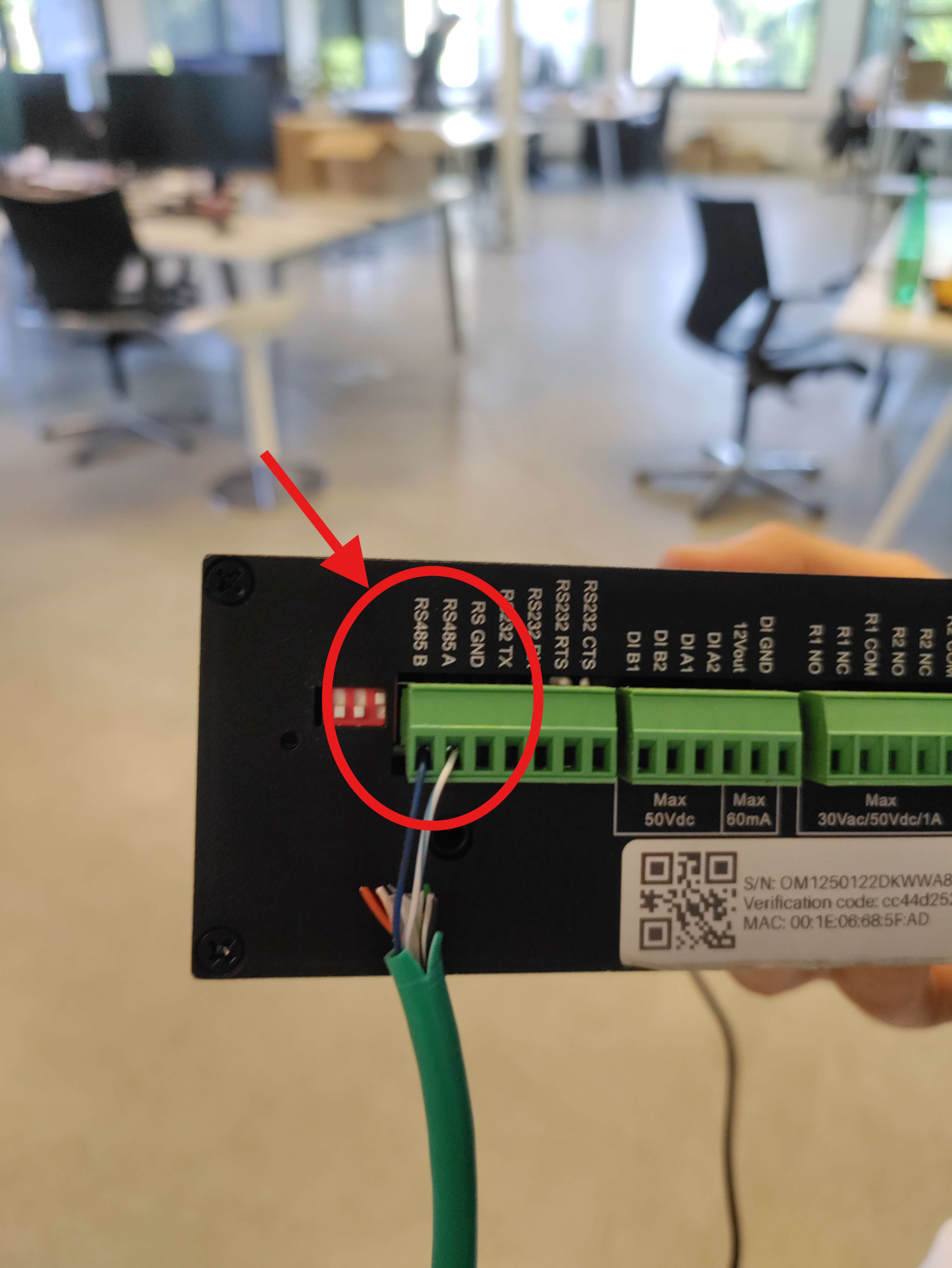
Controller connection

Connection to the Controller

You then need to connect the device to the controller, for that follow this guide : Adding a device.

MidTeQ

Previous Page

Octave Energy

Next Page

On this page

Supported DevicesWiringRS485Connection to the Controller