SmartgridOne logo
SmartgridOne logo
Quick StartInstallationNetworkWiring & connectivity guidelinesApp
OverviewNew integrations
a-TroniXABB, FIMERADS-TecAforeAlphaESSAmpowrAngileAnklous PV, Hybrid and Battery InvertersAPsystemsAteps BatteryBeauventC-BatteryCellpowerChisageDanfossDeltaDET Power PV, Hybrid and Battery InvertersDEYEDiehl-AkoDMEGC InvertersDynessDysun EnergyEcosourcenEenovanceElecnovaEnbrilionEnergreenEnerlutionEnjoyPowersEnphaseEP EquipmentESY InvertersFortonaFraxFroniusGoodWeGotionGreener / AlfenHiteHithiumHypontechiWellJinkoKacoKehuaKostalMarstekMastervoltMidTeQMotomaOctave EnergyOmniPowerPixiiPower-SonicPoweroadPylontechRefurbRegitecRenonRitarSAJSchneider SunEzySchucoSCUSessySigenergySinexcelSocomecSolarlogSolarMaxSolarwattSolaxSolintegSolplanetSunwaytechSunwodaSus-PowerTeclomanTeploreTesvoltVaconVictronVolstoraWattsNextXantrexZeversolar
Autarco
Solis
SpecificationsStatus LEDsControl response timeVideo tutorialsCertificatesLicenseSafety, maintenance and legal notices
DevicesPV hybrid and battery inverters
Logo

Sinexcel Inverters

Warning

Sinexcel in combination with a Poweroad BMS Starting from SmartgridOne Controller software version 1.17.0.x, you must add the Sinexcel inverter and Poweroad BMS as separate devices, and dc-link them through the groups page. For more information, see: DC-linking inverters, batteries and BMS systems

Supported Devices

Device TypeModbus TCP (Ethernet)RS485Curtailment
Sinexcel✅❌✅
Isuna❌✅

TODO: Confirm the models

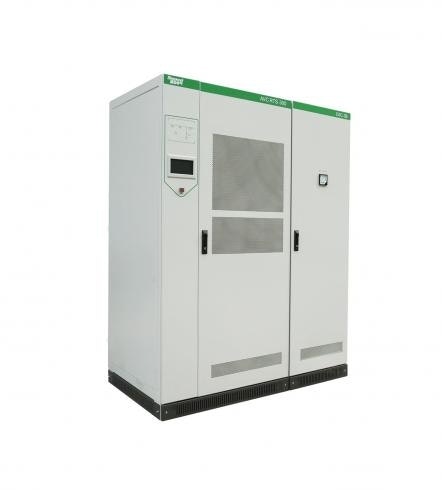
Image

Wiring

For correct ethernet wiring: Follow the the guidelines for ethernet wiring.

Configuration

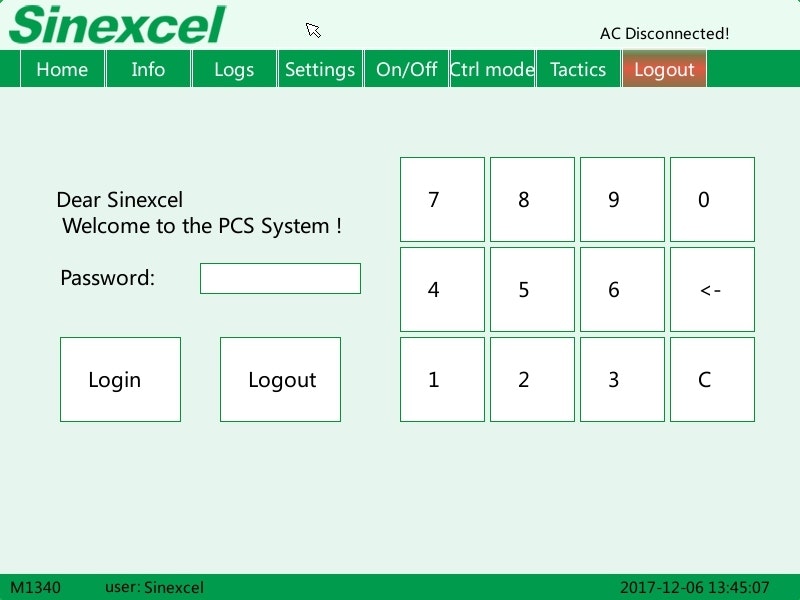
The external control of the inverter for modbus TCP communication has to be activated in the configuration screen of the inverter.

On the touchscreen of the inverter:

  1. Go to the Login/Logout/User tab
  2. Use the code "123456" to log in
Image

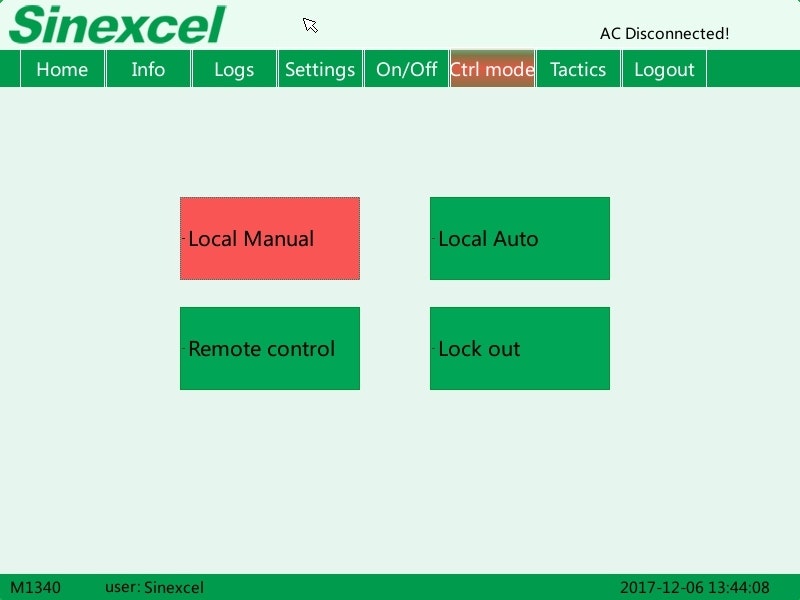
On the touchscreen of the inverter:

  1. Go to the "Ctrl mode" tab
  2. Put modus on "Remote control"
Tip

In case the mode is already on "Remote control", but the battery does not respond, put the mode first on "Local Manual" and then select again "Remote control" to reactivate the remote control function.
Image

Sigenergy

Previous Page

Socomec

Next Page

On this page

Sinexcel InvertersSupported DevicesWiringConfiguration