SmartgridOne logo
SmartgridOne logo
Accessories
AppCertificates
Configuration from A to Z
Control response timeController
Customer Specific
Devices
Boiler
Cloud
Energy Meter
Ev Charging Station
Gas Meter
Heat Pump
New integrations
Plc
Pv Hybrid And Battery Inverters
a-TroniXABB, FIMERADS-TecAforeAlphaESSAmpowrAngileAnklous PV, Hybrid and Battery InvertersAPsystemsAteps Battery
Autarco
BeauventC-BatteryCellpowerChisageDanfossDeltaDET Power PV, Hybrid and Battery InvertersDEYEDiehl-AkoDMEGC InvertersDynessDysun EnergyEcosourcenEenovanceElecnovaEnbrilionEnergreenEnerlutionEnjoyPowersEnphaseEP EquipmentESY InvertersEVEFortona
Foxess
FraxFroniusGoodWeGotionGreener / Alfen
Growatt
HiteHithium
Huawei
Huawei Luna BatteryHuawei SmartLogger 1000aHuawei SmartLogger 3000Huawei SUN2000 inverters
Hypontech
Hyxipower
iWellJinkoKacoKehuaKostal
Kstar
MarstekMastervoltMidTeQMotomaOctave EnergyOmniPowerPixiiPower-SonicPoweroadPylontechRefurbRegitecRenonRitarSAJSchneider SunEzySchucoSCUSE2200H till SE6000HSessySigenergySinexcel
Sma
Socomec
Sofar
Solaredge
SolarlogSolarMaxSolarwattSolaxSolinteg
Solis
Solplanet
Sungrow
SunwaytechSunwoda
Sunwoda
Sus-PowerTeclomanTeploreTesvoltVaconVictronVolstoraWattsNextWeihengXantrexZendure SolarFlowZetaraZeversolar
Switched Loads
Water Meter
External Signals
InstallationLicenseNetworkQuick StartSafety, maintenance and legal noticesSpecificationsStatus LEDs
Toolbox
Troubleshooting
Video tutorialsWiring & connectivity guidelines
DevicesPv Hybrid And Battery InvertersHuawei
logo

Supported Devices

Device TypeModbus TCP (Ethernet)RS485Curtailment
Huawei SmartLogger 3000✅❌✅
Warning
Warning

Make sure the Huawei Smartlogger has a modbus present.
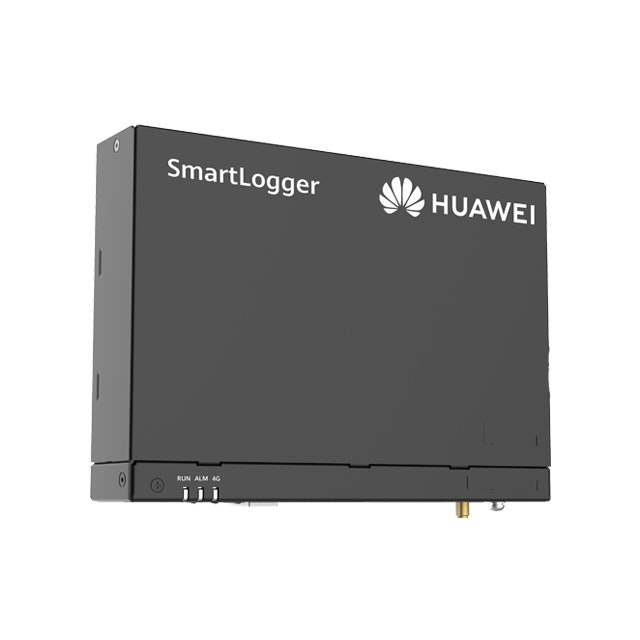
Image 1

The Huawei SmartLogger can be used to read and control energy meters/solar inverters/batteries.

Note
Note

We are experiencing issues with a number of Smartloggers. We are currently investigating and are in contact with the manufacturer.

Wiring - Ethernet

For correct ethernet wiring: Follow the the guidelines for ethernet wiring.

Configuration

1. Activating Modbus in the SmartLogger

  1. Surf to the IP address of the SmartLogger.
  2. Login to the SmartLogger (default password: "Changeme").
  3. Change “Link setting” to “Enable (Unlimited)”.
  4. Set “Address mode” to “Communication address”.
  5. Choose the Modbus address of the logger. We recommend that this is different from the addresses of the inverters (see also the next step in the manual).
  6. Click submit.
Image 1
Warning
Warning

IF IT CONTINUES TO STAYS AT 0 POWER, CONTACT HUAWEI.
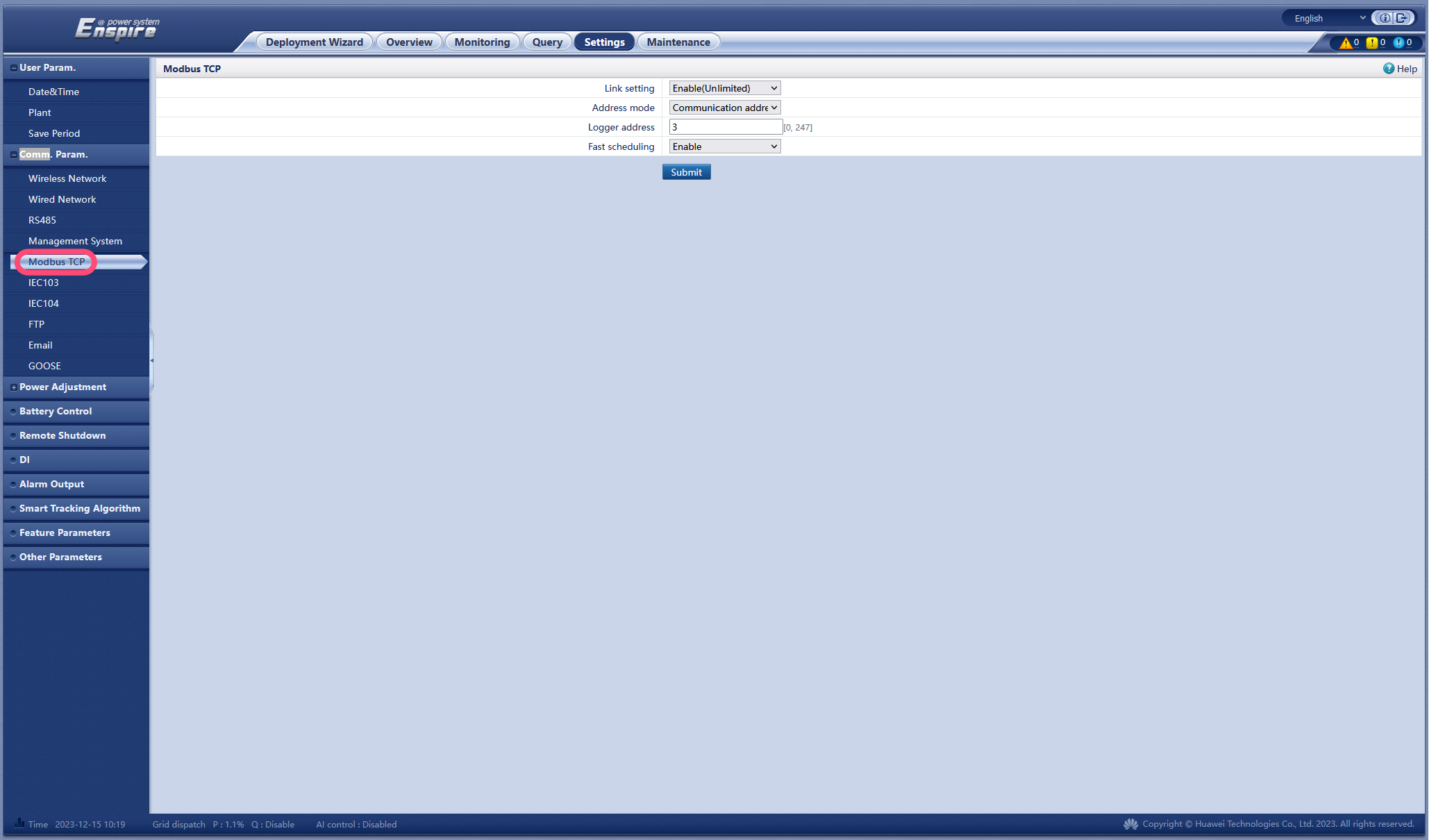
Image 1

2. Device Modbus Addresses

The smartlogger can connect both inverters and energy meters via 3 COM ports. Adding and giving Modbus addresses can be done automatically or not.

However... all Modbus addresses must be different!
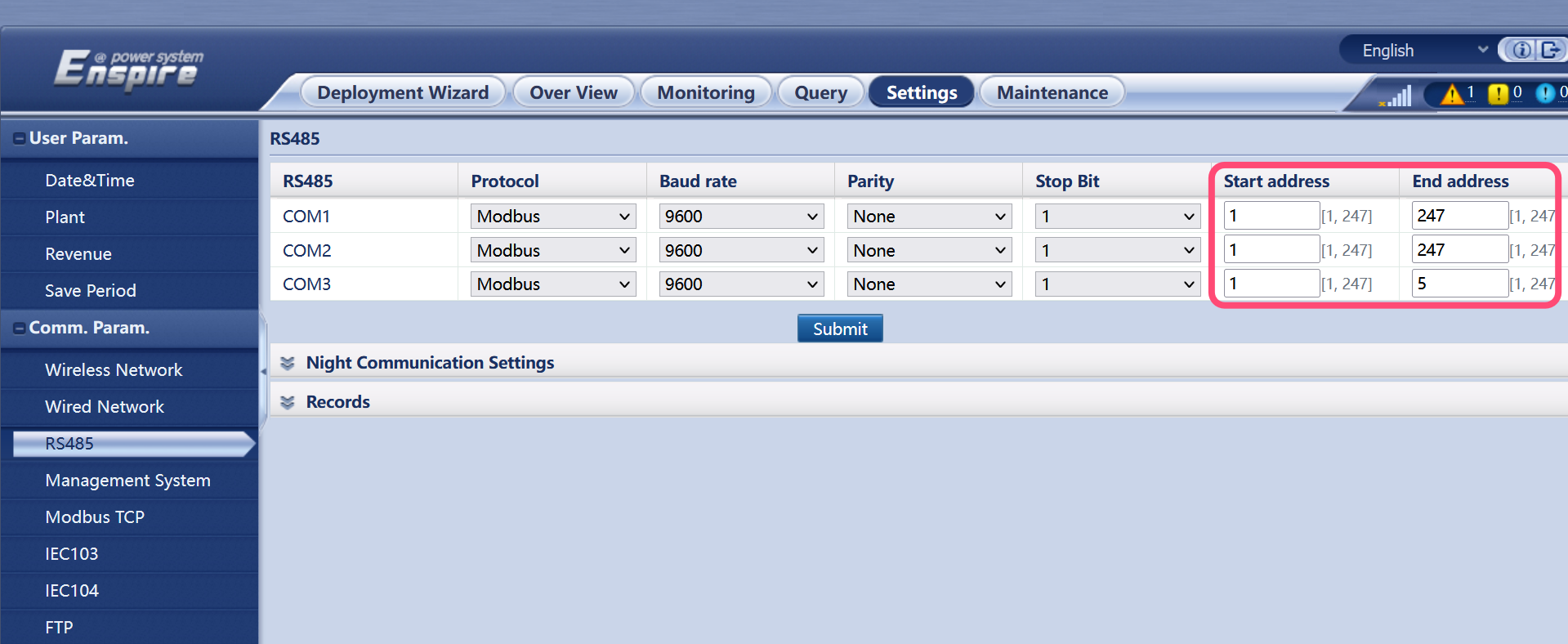
Image 1

To adjust this, it is best to first adjust the possible addresses per COM port so that there is no overlap.
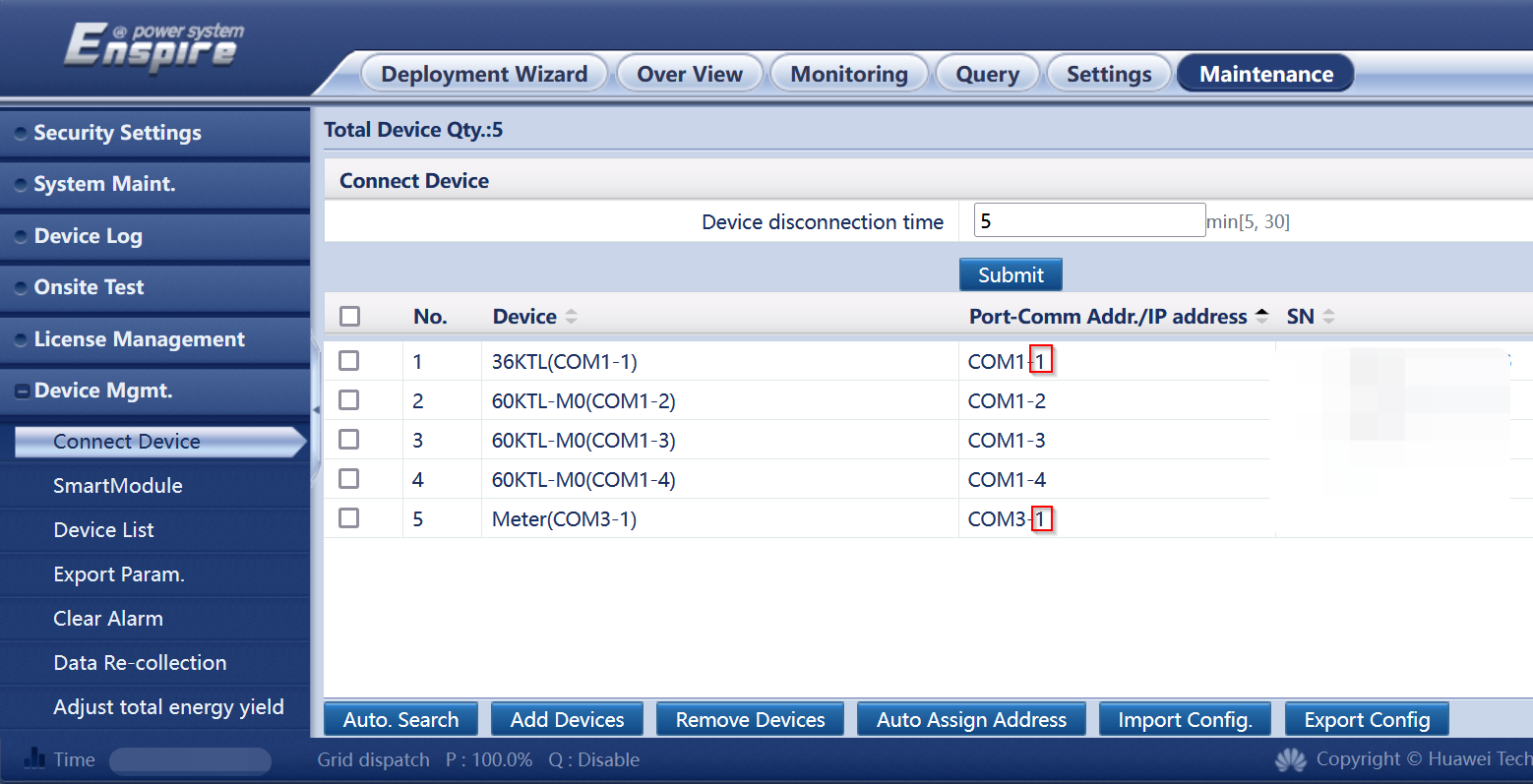
Image 1

Then you remove the devices with the same address and add them back with an address different from all other devices.
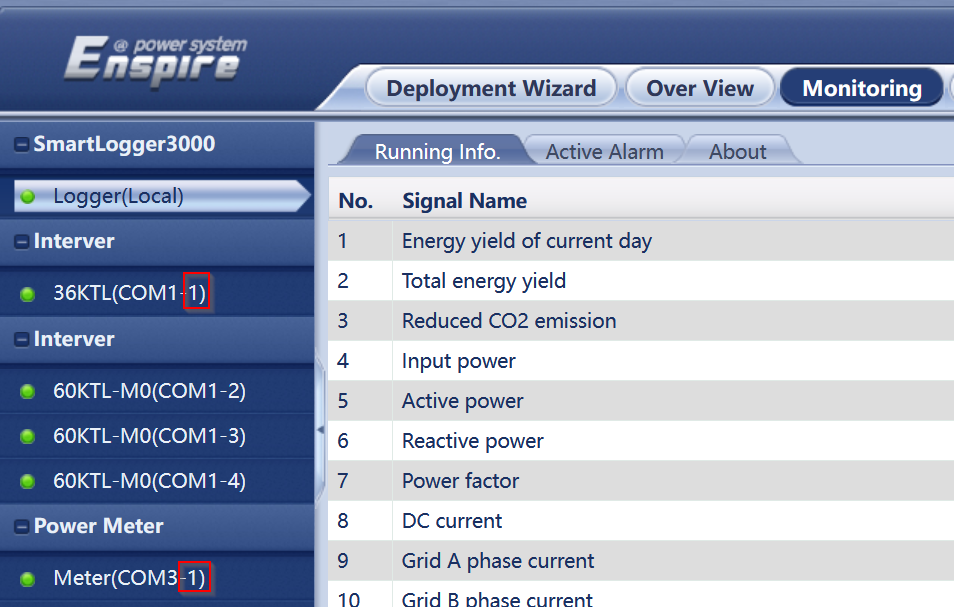
Image 1

Huawei SmartLogger 1000a

Previous Page

Huawei SUN2000 inverters

Next Page

On this page

Supported DevicesWiring - EthernetConfiguration1. Activating Modbus in the SmartLogger2. Device Modbus Addresses