

Onduleurs SolarEdge SE2200H - SE6000H
Appareils pris en charge
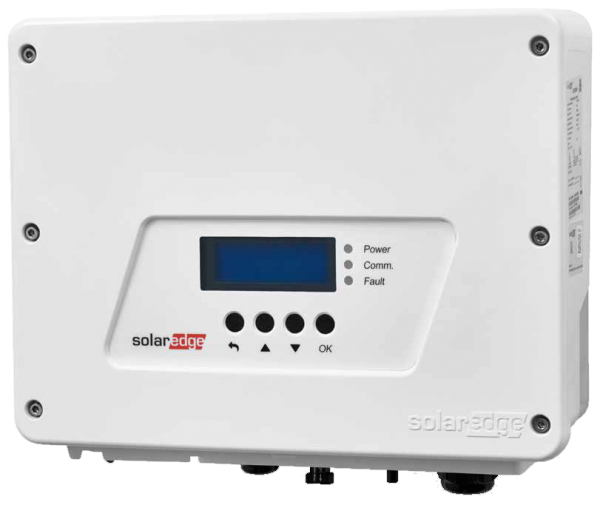
| Device Type | Modbus TCP (Ethernet) | RS485 | Curtailment | Minimum device firmware version |
|---|---|---|---|---|
| SolarEdge SE2200H | ✅ | ✅ | 🔶 (see warning below) | v3.0 (Tip: if the SolarEdge SetApp works, the firmware will be recent enough) |
| SolarEdge SE3000H | ||||
| SolarEdge SE3500H | ||||
| SolarEdge SE3680H | ||||
| SolarEdge SE4000H | ||||
| SolarEdge SE5000H | ||||
| SolarEdge SE6000H |
Avertissement
Avertissement
L'ÉCRÊTEMENT EST UNIQUEMENT PRIS EN CHARGE APRÈS OBTENTION D'UN ACCORD AVEC SOLAREDGE
Si l'écrêtement ne fonctionne pas sur votre appareil SolarEdge, il n'est probablement pas activé par SolarEdge. Contactez SolarEdge pour activer le contrôle de vos appareils. [!WARNING] SolarEdge refuse d'aider ses clients concernant l'écrêtement !
Câblage
Pour un câblage Ethernet correct : suivez les directives de câblage Ethernet.
Configuration
Activation de la communication Modbus TCP
Dans le menu, accédez à « Communication » -> « LAN Conf » -> « Modbus TCP », puis activez le Modbus TCP.
Lorsque le Modbus TCP est activé, l'écran d'état suivant s'affiche :
Modbus TCP: <status>
IP:192.168.1.210
Port:502
Last updated June 8, 2026Edit this page