

Appareils pris en charge
| Device Type | Modbus TCP (Ethernet) | RS485 | Curtailment |
|---|---|---|---|
| PS-PULSE-INV-6KW | ❌ | ✅ | ❌ |
| PS-PULSE-INV-8KW | |||
| PS-PULSE-INV-10KW | |||
| PS-PULSE-INV-12KW |
Câblage
RS485
Info
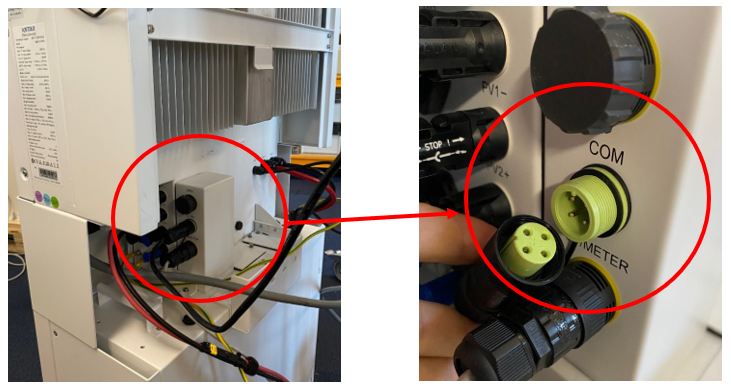
RS485 Wiring
- For correct RS485 wiring: Follow the guidelines for RS485 wiring.
- If the wiring shown in the table below is incorrect, please let us know.
- There is no general consensus in the industry about the usage of A and B for the RS485 polarity, so it may be counterintuitive and opposite of what you might expect for some devices.
| Device | SmartgridOne Controller model OM1 | SmartgridOne Controller model IG8 | RS485-USB converter | RS485-Ethernet converter |
|---|---|---|---|---|
| RS485 A | RS485_POS | RS485 A | TX+ | |
| RS485 B | RS485_NEG | RS485 B | TX- | |
| RS GND | GND | Not available | G |
Configuration
Avertissement
NOTE: RS485 Device Addresses
- You MUST give each device on the RS485 bus a unique address. Check the manual of the device on how to do this.
- Use lower addresses first (1, 2, ...) because the SmartgridOne Controller will find them faster!
- For each device, it is generally recommended to stick with the factory default baud rate, parity, and stop bits. The SmartgridOne Controller will scan on those first.
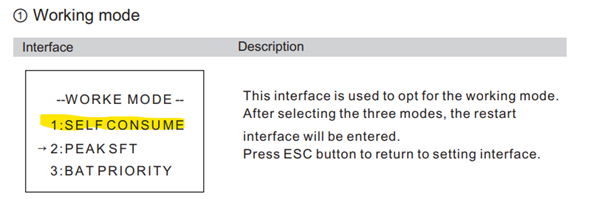
- Réglez le mode de fonctionnement sur Autoconsommation.
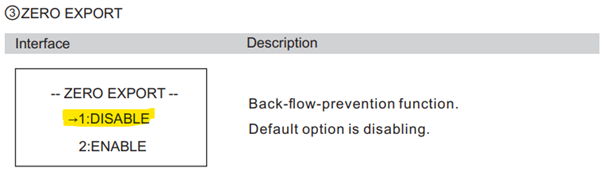
- Réglez l’exportation zéro sur Désactiver.
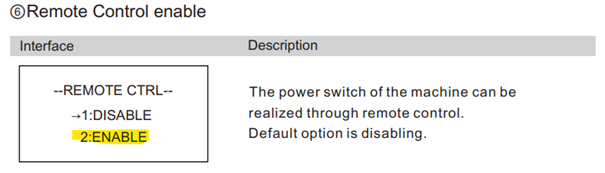
- Réglez la commande à distance sur Activer.
- Réglez l’adresse RS485. Le débit en bauds par défaut est de 9600 ; sinon, réglez-le sur 9600.
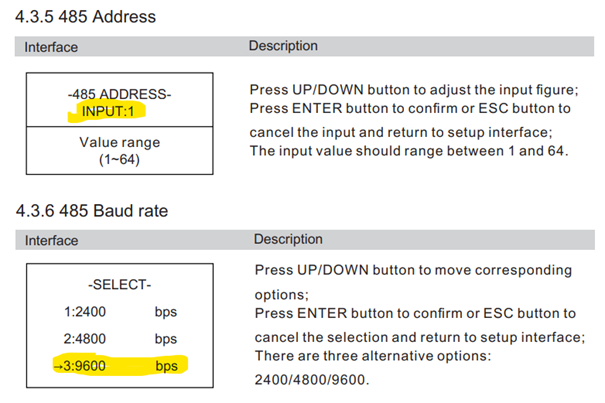
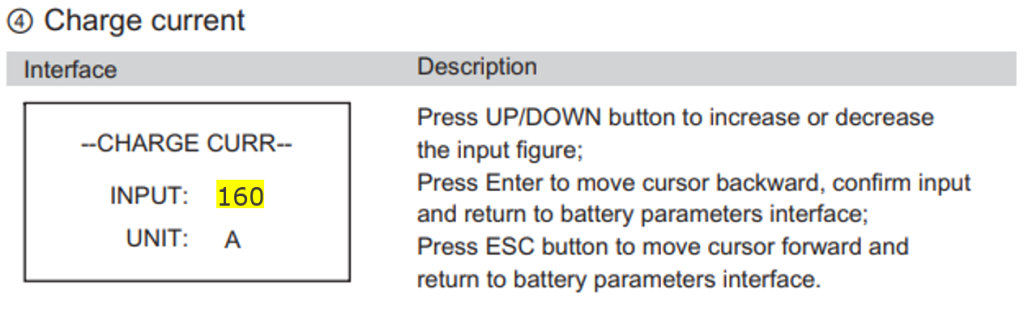
- Réglez le courant de charge. Réglez le courant de charge.
Avertissement
Avertissement
IMPORTANT ! Pour un 5KT, réglez-le sur 100 Pour un 10KT, réglez-le sur 160
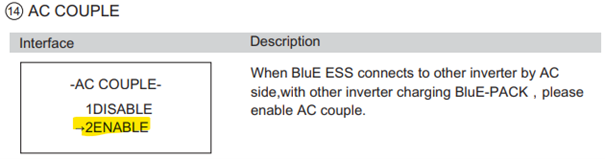
- Réglez le couplage AC sur Activer.
Last updated March 10, 2026Edit this page