Compteurs d'énergie Huawei

Appareils pris en charge
| Device Type | Modbus TCP (Ethernet) |
|---|---|
| Energy Meter via Smartlogger | ✅ |
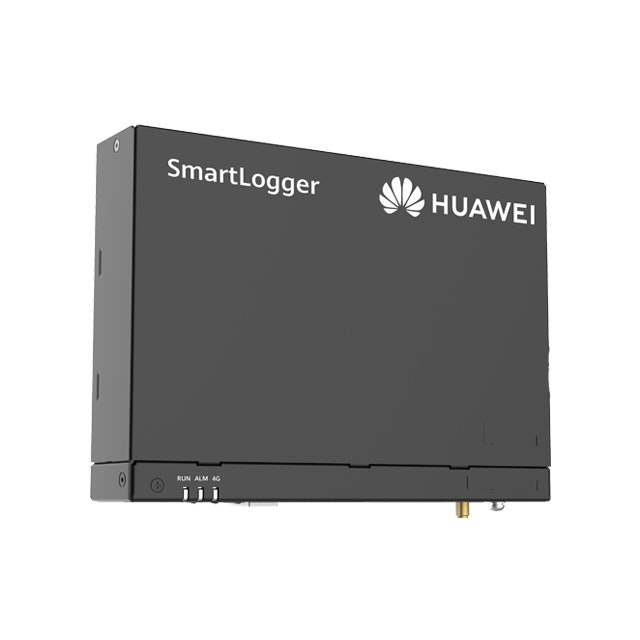
Le SmartLogger Huawei peut être utilisé pour relever et contrôler les compteurs d'énergie, les onduleurs solaires et les batteries.
Câblage - Ethernet
Pour un câblage Ethernet correct : suivez les directives de câblage Ethernet.
Configuration
1. Activation du Modbus dans le SmartLogger
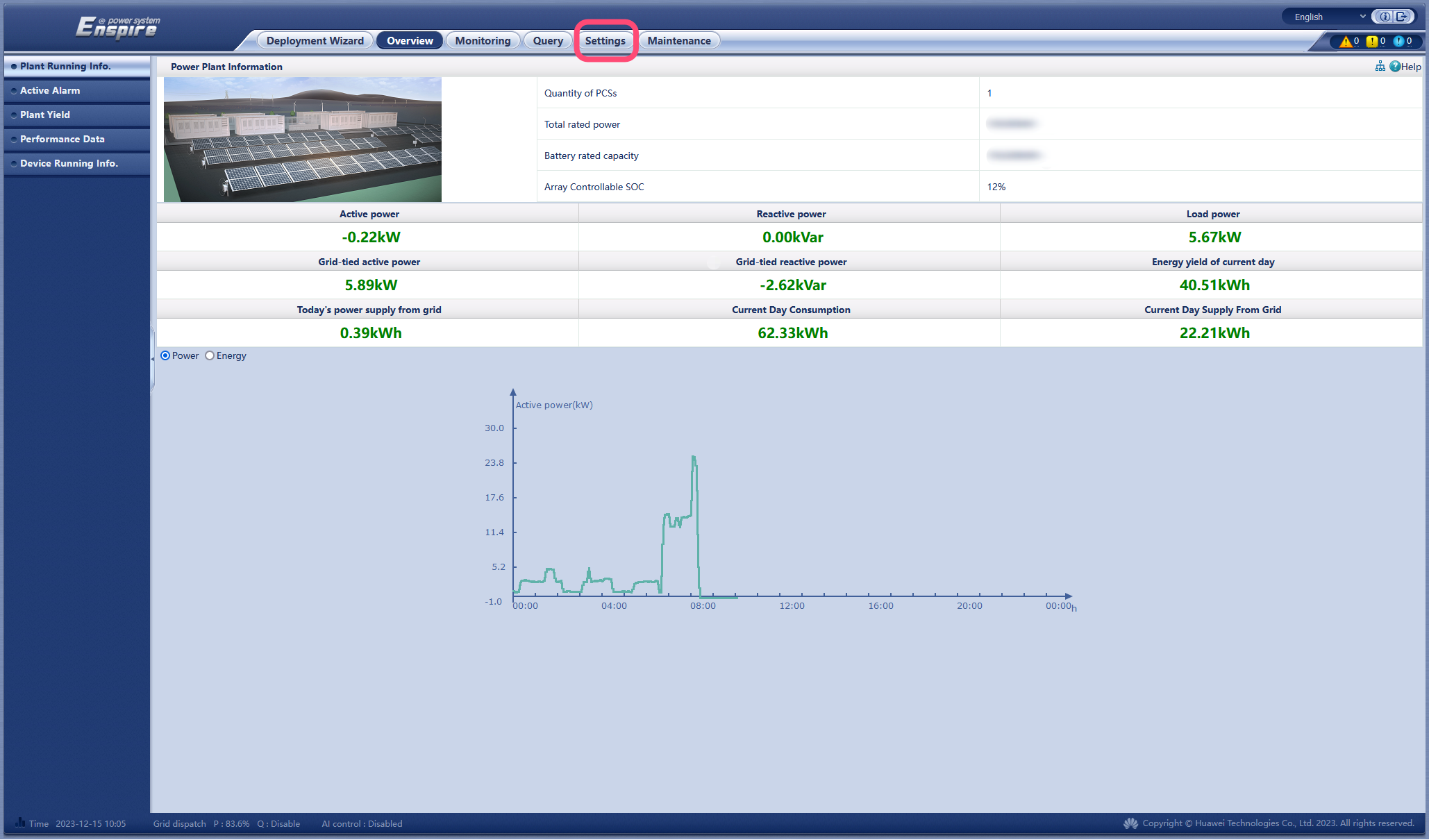
- Accédez à l'adresse IP du SmartLogger.
- Connectez-vous au SmartLogger (mot de passe par défaut : "Changeme").
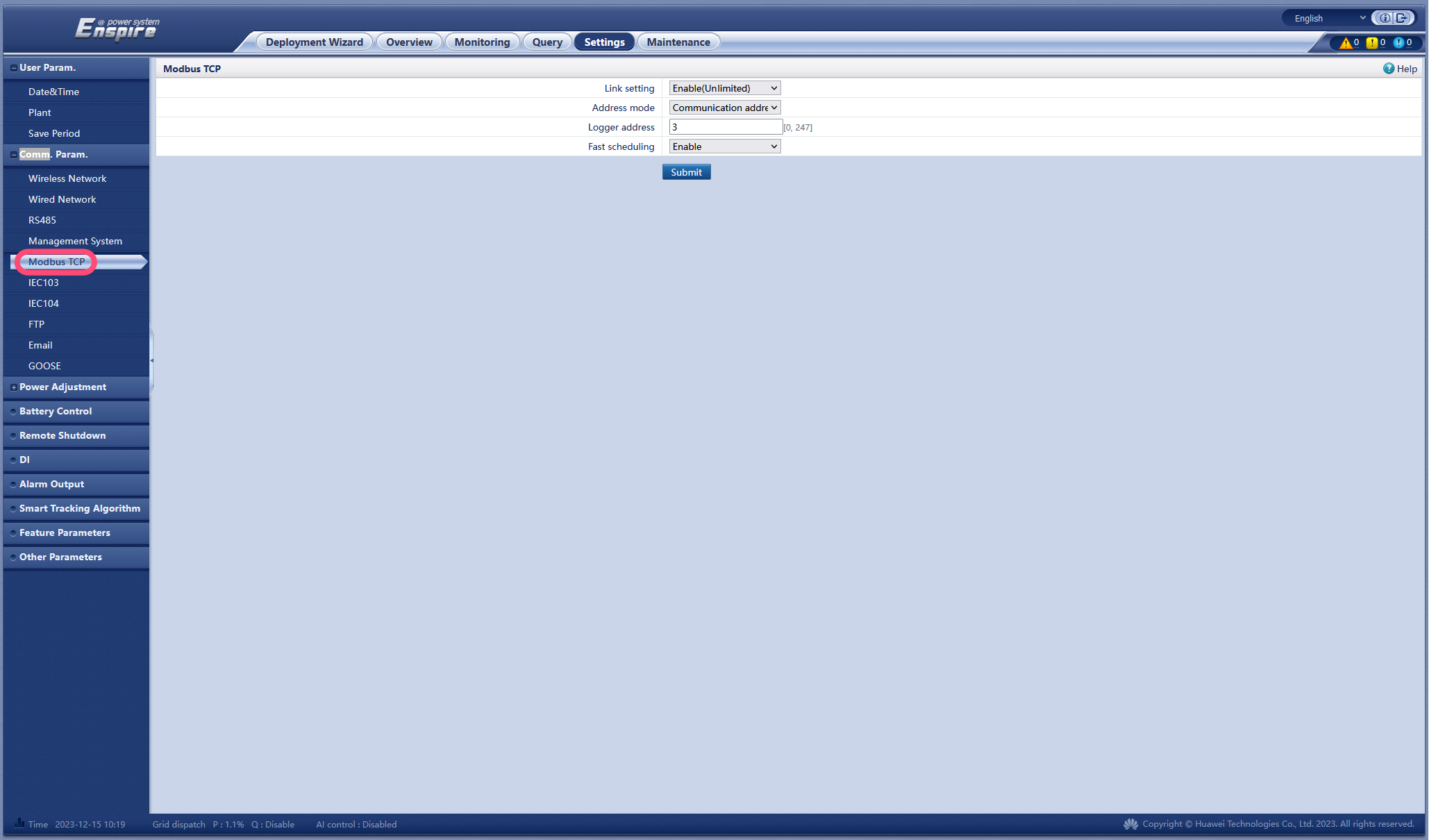
- Remplacez « Link setting » par « Enable (Unlimited) ».
- Définissez « Address mode » sur « Communication address ».
- Choisissez l'adresse Modbus du logger. Nous recommandons qu'elle soit différente des adresses des onduleurs (voir également l'étape suivante du manuel).
- Cliquez sur Submit.
2. Adresses Modbus des appareils
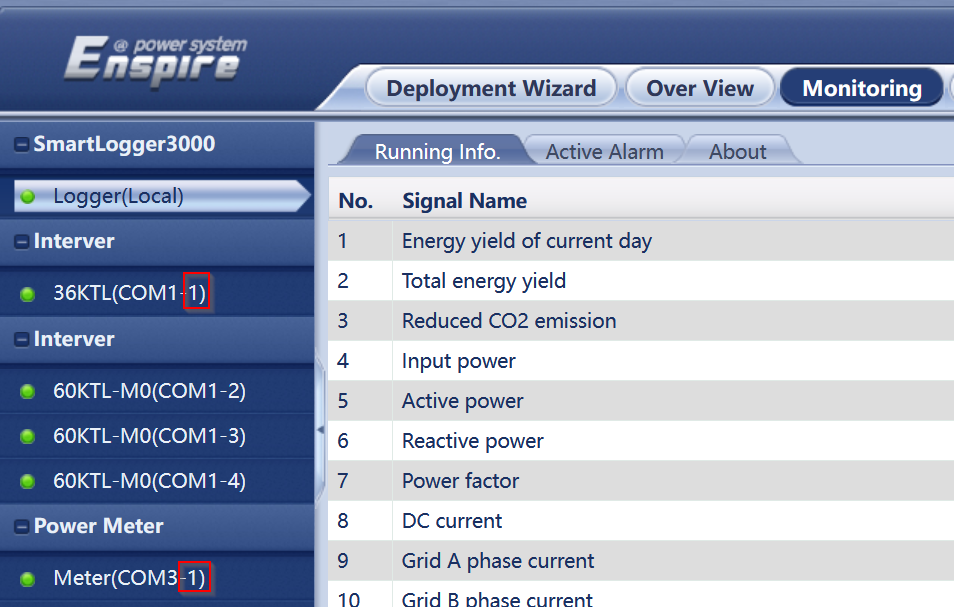
Le SmartLogger peut connecter des onduleurs et des compteurs d'énergie via 3 ports COM. L'ajout des appareils et l'attribution des adresses Modbus peuvent être effectués automatiquement ou manuellement.
Cependant... toutes les adresses Modbus doivent être différentes !
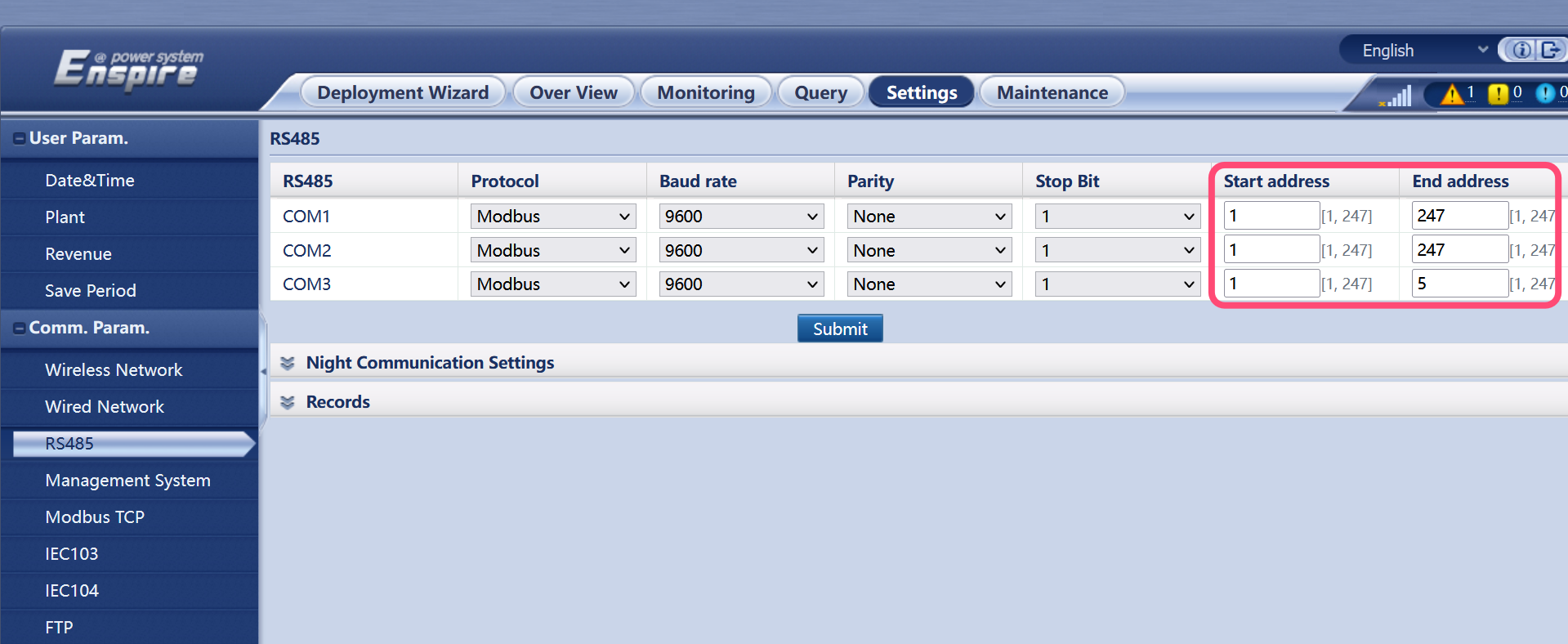
Pour ce faire, il est préférable de commencer par ajuster les adresses possibles pour chaque port COM afin qu'elles ne se chevauchent pas.
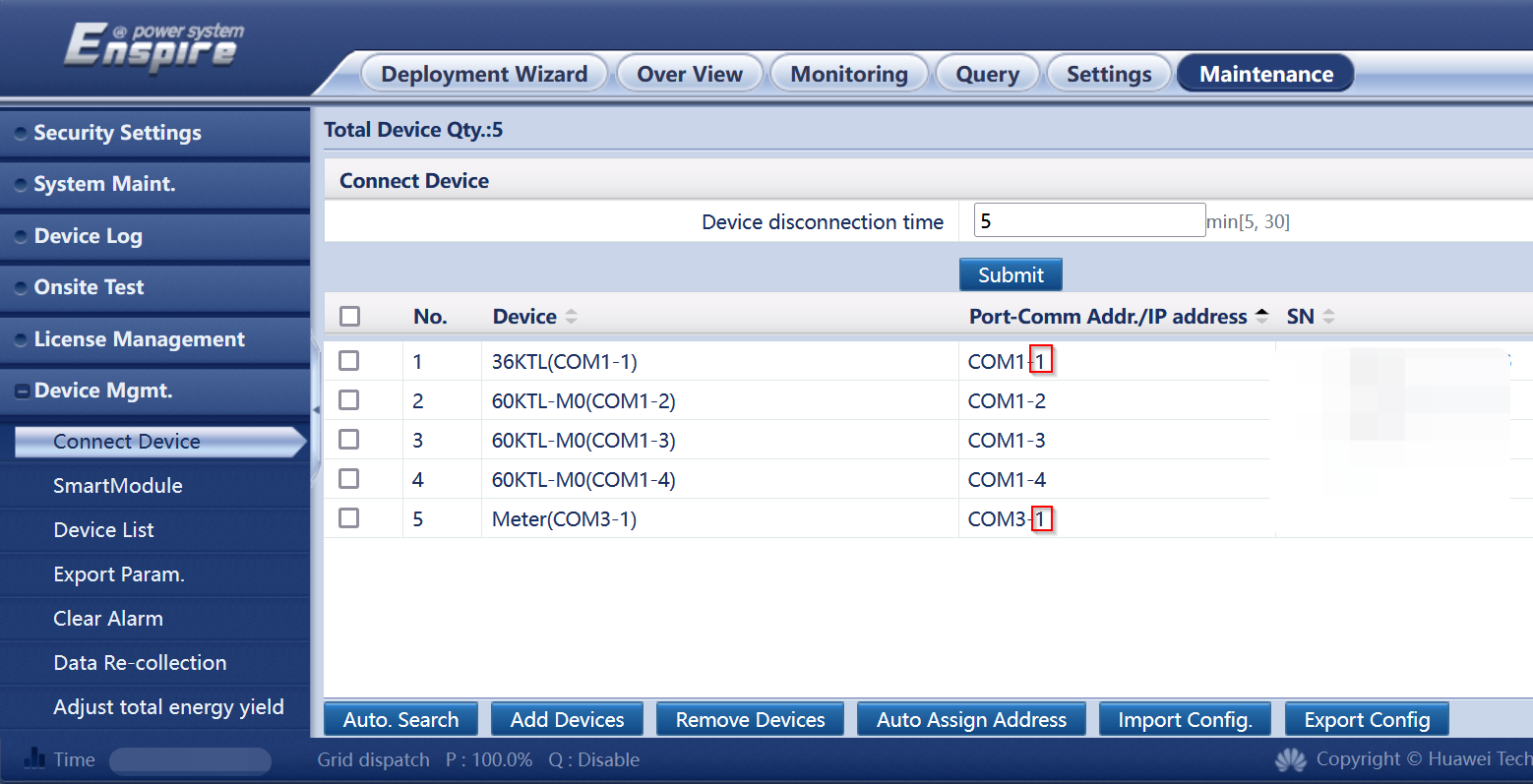
Supprimez ensuite les appareils ayant la même adresse, puis ajoutez-les à nouveau avec une adresse différente de celle de tous les autres appareils.