

Teltonika EV Charging Stations
Supported Devices
| Device Type | Variants | Modbus TCP (Ethernet) | RS485 |
|---|---|---|---|
| TeltoCharge | 7.4kW/11kW/22kW | ✅* | ✅ |
Warning
Warning
TCP is only available for version EVC2 or newer generation EV chargers.
Connection
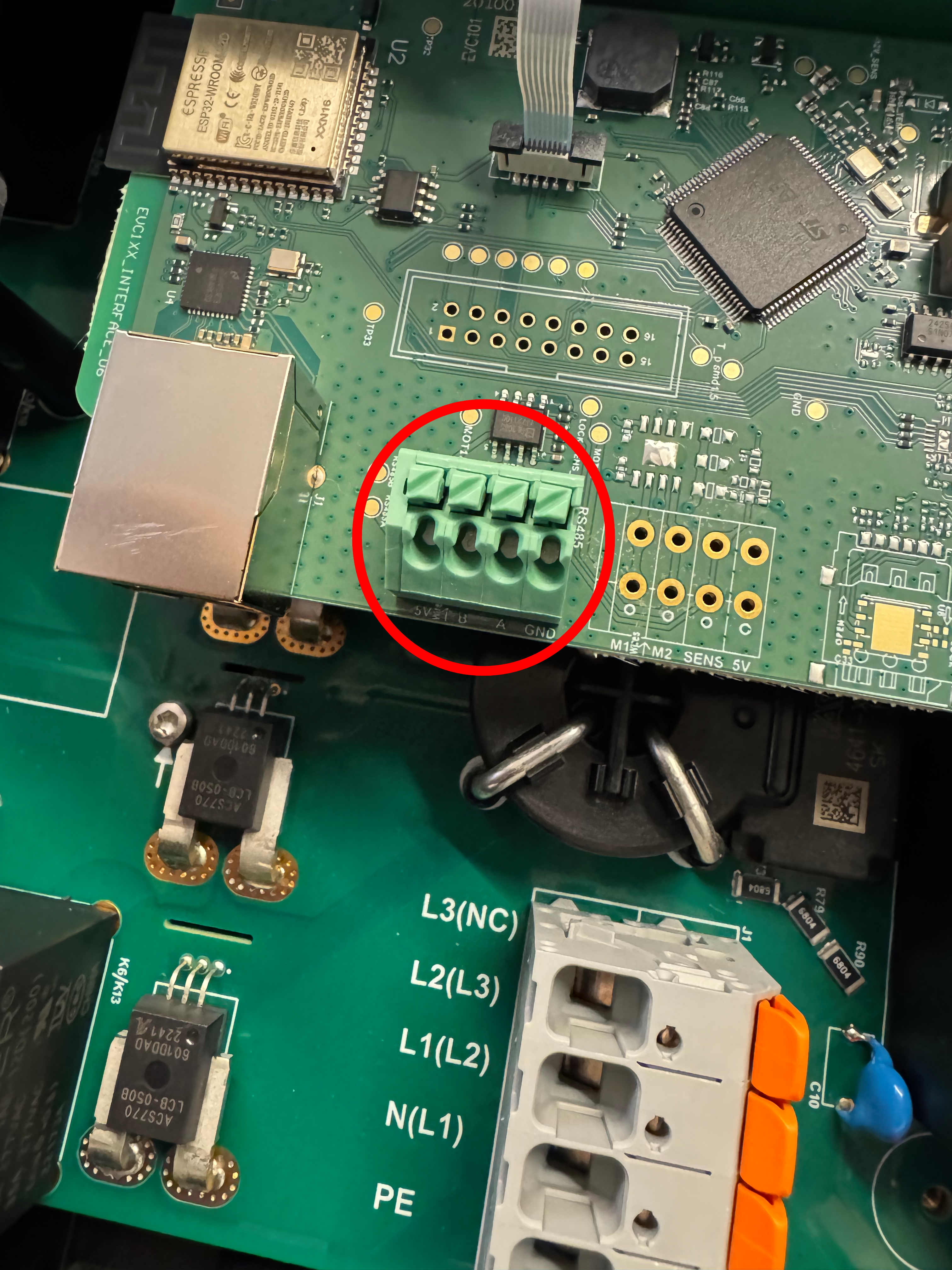
The communication between the SmartgridOne Controller and the TeltoCharge operates via an RS-485 serial bus or Modbus TCP.
Info
RS485 Wiring
- For correct RS485 wiring: Follow the guidelines for RS485 wiring.
- If the wiring shown in the table below is incorrect, please let us know.
- There is no general consensus in the industry about the usage of A and B for the RS485 polarity, so it may be counterintuitive and opposite of what you might expect for some devices.
| Device | SmartgridOne Controller model OM1 | SmartgridOne Controller model IG8 | RS485-USB converter | RS485-Ethernet converter |
|---|---|---|---|---|
| RS485 A | RS485 A | RS485_POS | RS485 A | TX+ |
| RS485 B | RS485 B | RS485_NEG | RS485 B | TX- |
| GND | RS GND | GND | Not available | G |
Warning
NOTE: RS485 Device Addresses
- You MUST give each device on the RS485 bus a unique address. Check the manual of the device on how to do this.
- Use lower addresses first (1, 2, ...) because the SmartgridOne Controller will find them faster!
- For each device, it is generally recommended to stick with the factory default baud rate, parity, and stop bits. The SmartgridOne Controller will scan on those first.
Settings
Follow the steps below to enable Modbus on the TeltoCharge:
- Open the device settings in the Teltonika app.
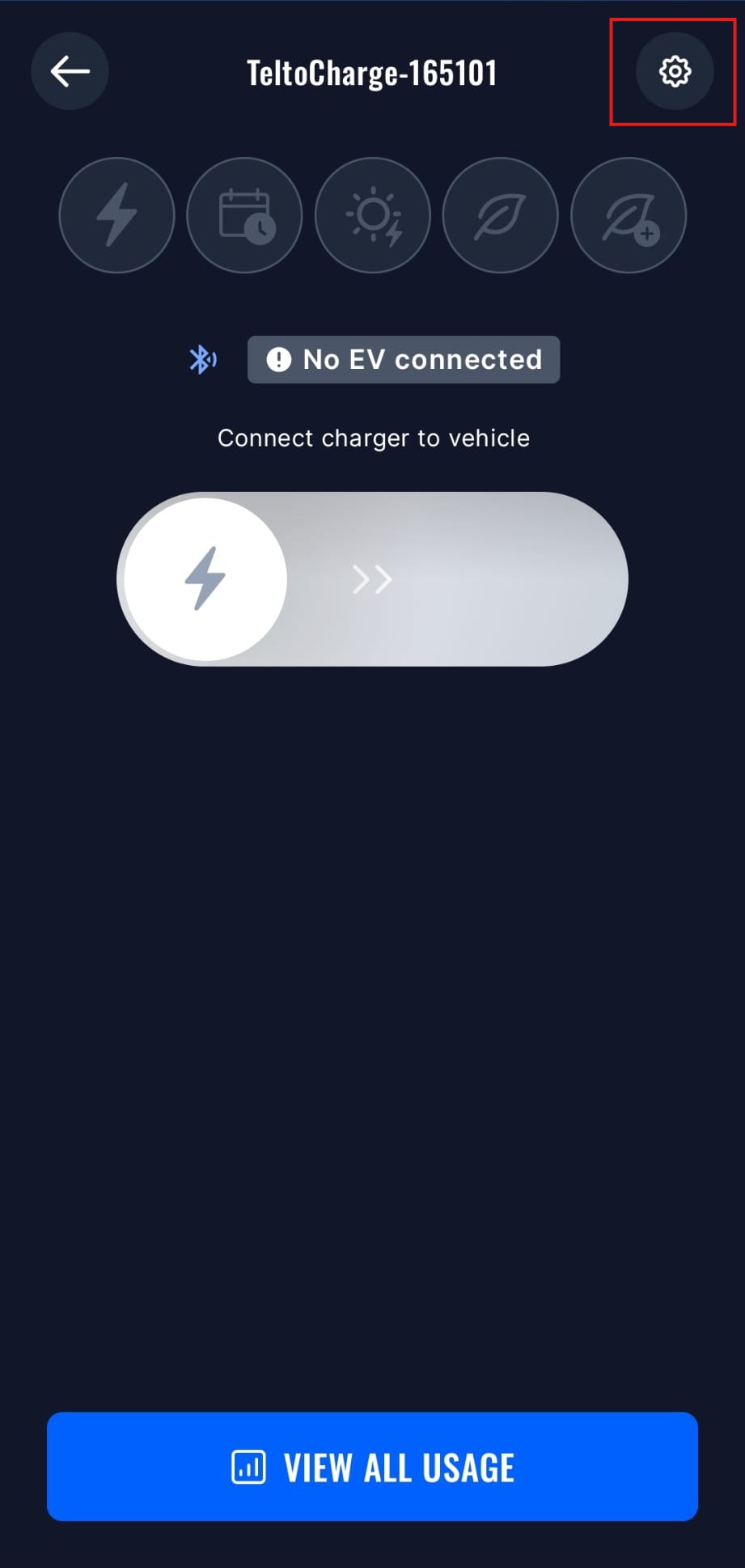
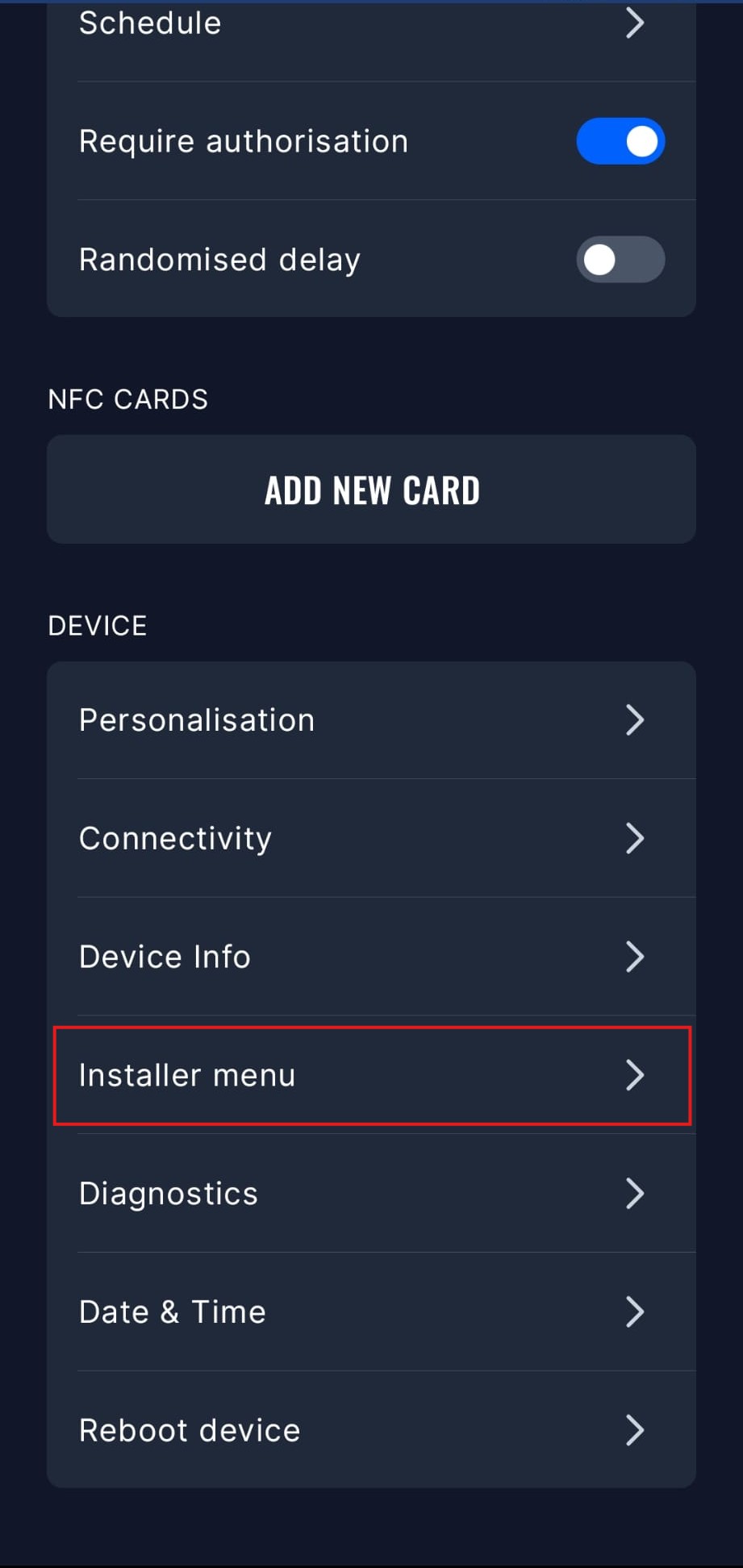
- Open the Installer Menu, you will need to input the installer code to access this menu.
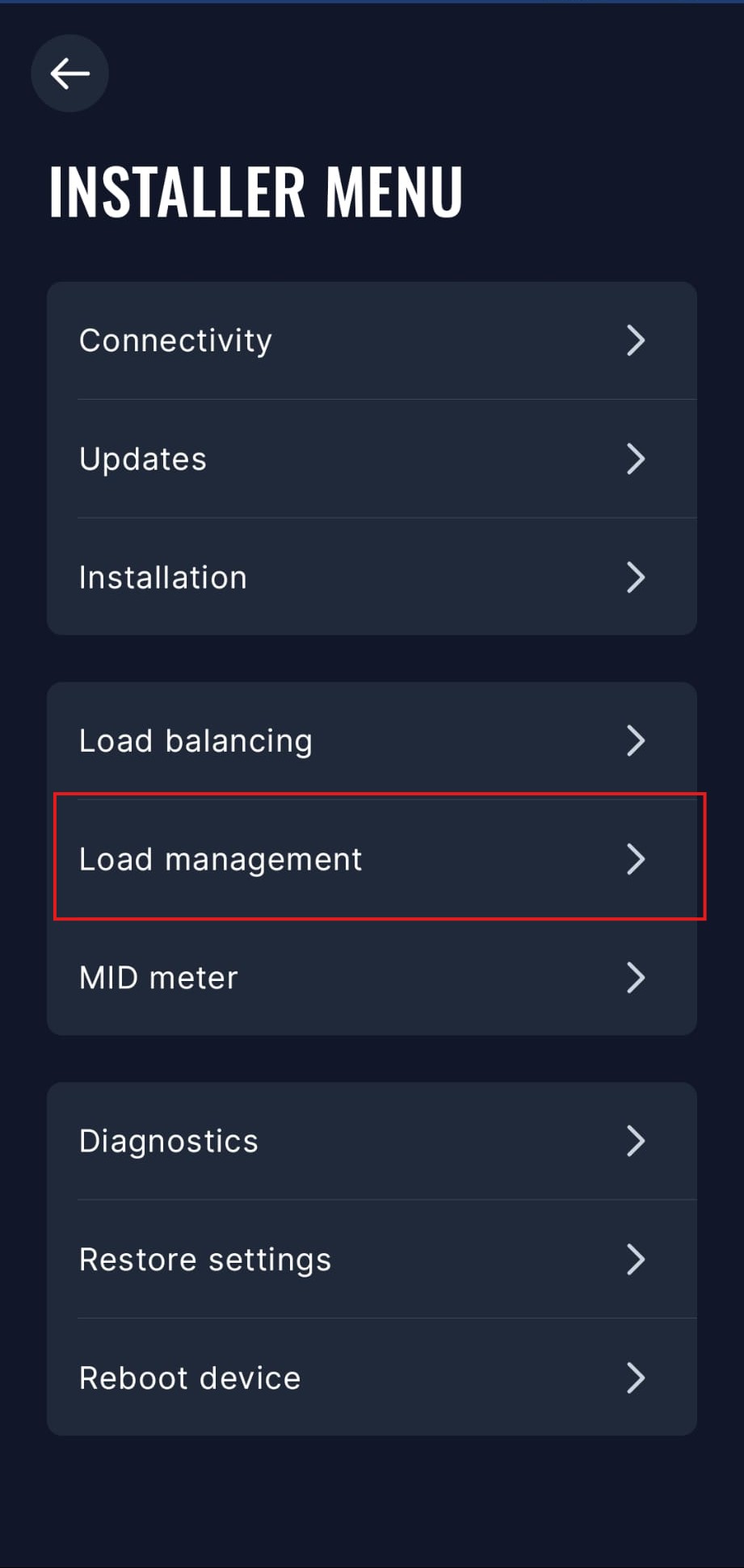
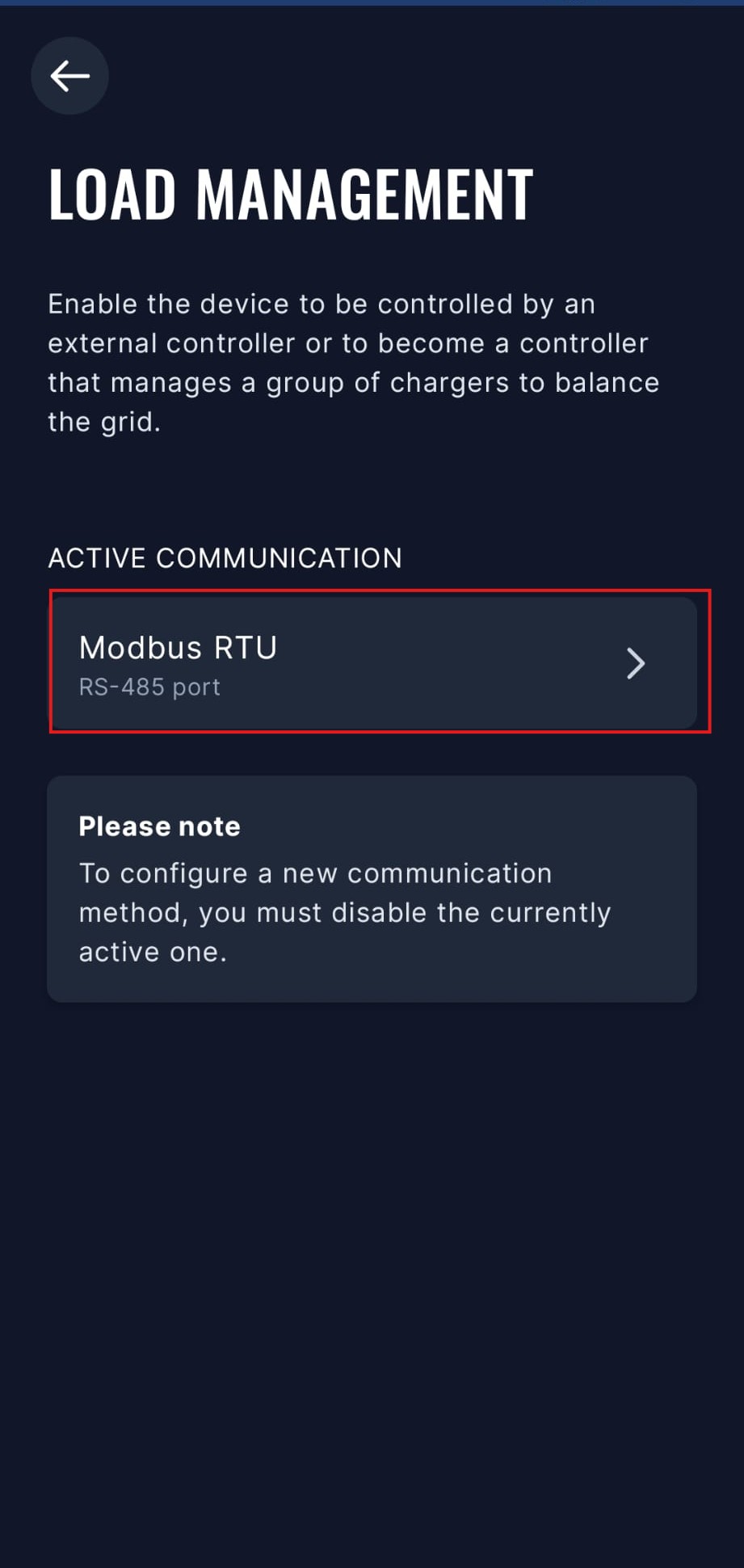
- Open the Load management menu.
- Select the Modbus RTU option. You will need to disable other communication options to enable Modbus RTU.
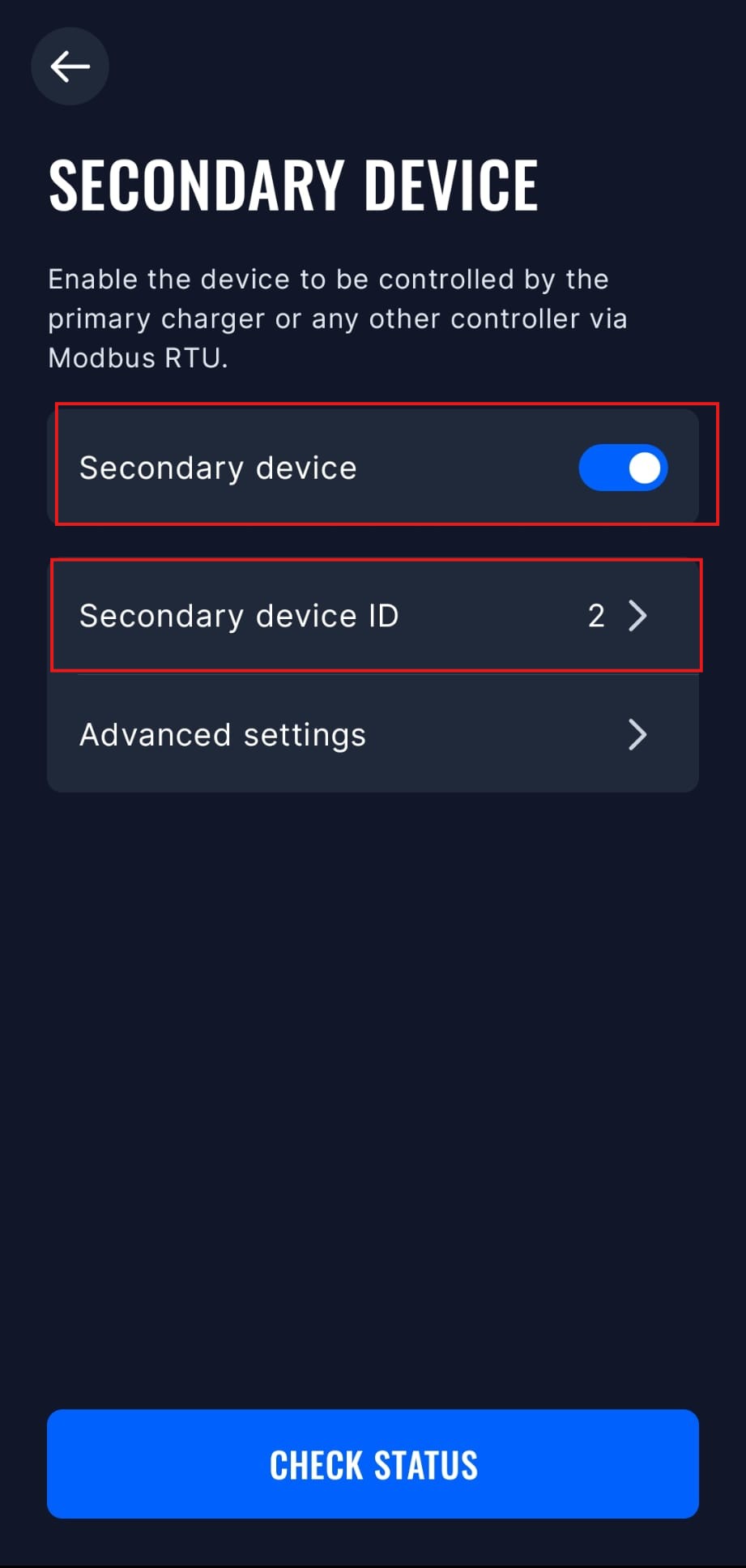
- Select "Secondary device" mode, and enable it. You can also set the Modbus address and other advanced settings in this menu, but the default settings should work fine.
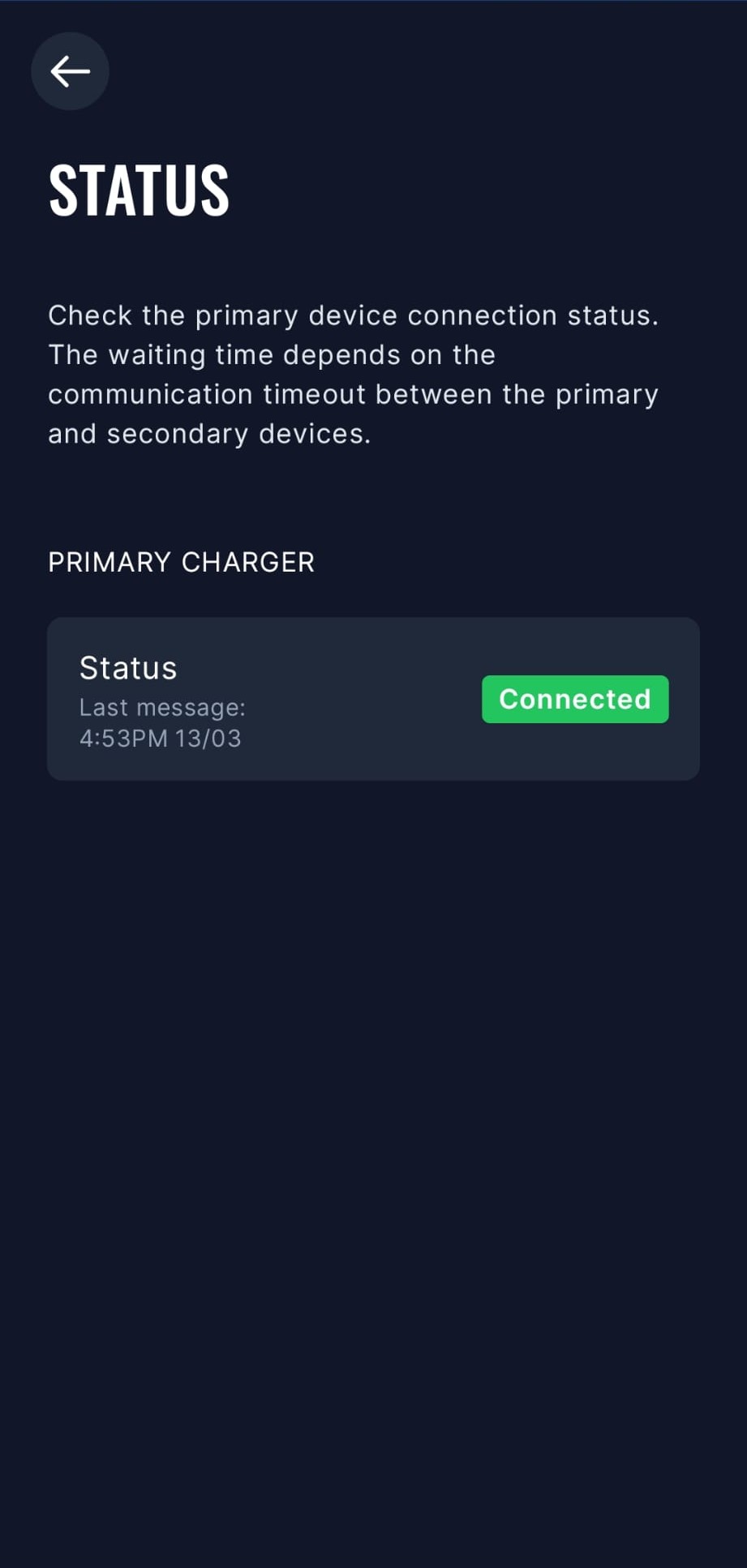
- The SmartgridOne Controller will now be able to communicate with the TeltoCharge via Modbus RTU. You can check the connection status in the app.
Older Models
The TeltoCharge needs to have modbus enabled:
- Open the Teltonika app
- Navigate to "Settings" -> "Installer Menu"
- Enable "Dynamic Load Balancing"
- After doing this "Dynamic Load Management" will become visible
- Scroll down and enable "Dynamic Load Management"
- Click "Save"
- The TeltoCharge will now reboot and modbus will be enabled
Last updated March 17, 2026Edit this page