Contatori di Energia Schneider-Electric Serie PM 5000

Dispositivi Supportati
La serie PM 5000 copre un'ampia gamma di contatori. Le funzionalità variano in base al numero di modello specifico (ad esempio, PM51xx sono generalmente solo RS485, mentre PM5320/PM5340 includono Ethernet).
| Device Type | Modbus TCP (Ethernet) | RS485 |
|---|---|---|
| Schneider-Electric PM 5100 / 5110 / 5111 | ❌ | ✅ |
| Schneider-Electric PM 5310 / 5330 / 5331 | ||
| Schneider-Electric PM 5320 / 5340 / 5341 | ✅ |
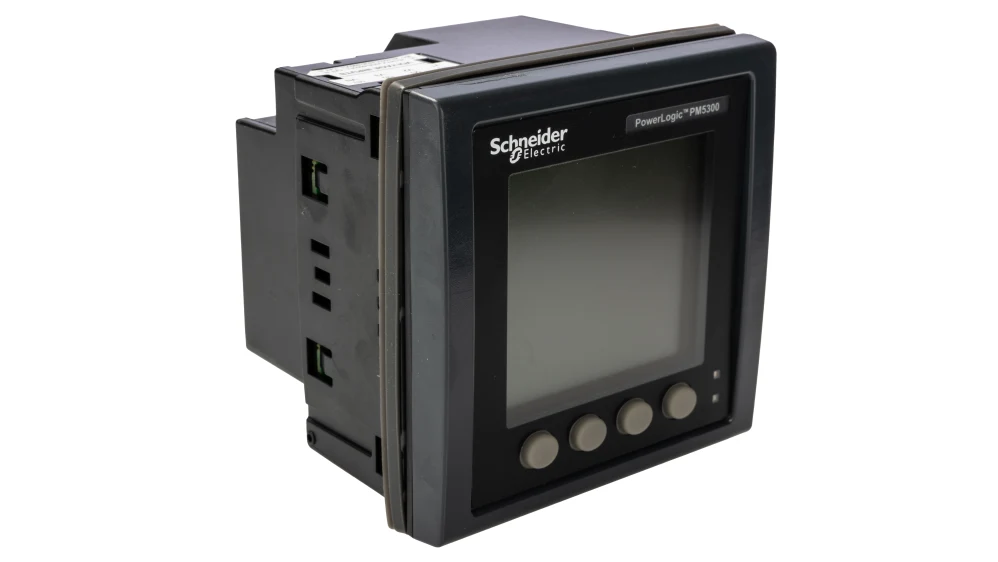
pm5300
Cablaggio
Ethernet
Applicabile solo a PM5320, PM5340 e PM5341. Per il corretto cablaggio Ethernet: seguite le linee guida per il cablaggio Ethernet.
RS485
I terminali RS485 si trovano nella parte inferiore del dispositivo (connettore 6 nello schema sotto).
RS485 Wiring
- For correct RS485 wiring: Follow the guidelines for RS485 wiring.
- If the wiring shown in the table below is incorrect, please let us know.
- There is no general consensus in the industry about the usage of A and B for the RS485 polarity, so it may be counterintuitive and opposite of what you might expect for some devices.
| Device | SmartgridOne Controller model OM1 | SmartgridOne Controller model IG8 | RS485-USB converter | RS485-Ethernet converter |
|---|---|---|---|---|
| Terminal 22 / D1 (+) | RS485 A | RS485_POS | RS485 A | TX+ |
| Terminal 23 / D0 (-) | RS485 B | RS485_NEG | RS485 B | TX- |
| Terminal 25 / 0V | RS GND | GND | Not available | G |
Nota
Schermatura: Il filo di schermatura deve essere collegato al Terminale 24 (SHLD). Si noti che il terminale di massa non è disponibile sul contatore stesso; la schermatura deve essere collegata a massa all'estremità opposta del bus[cite: 246, 1627].

Configurazione
Ethernet
Applicabile solo a PM5320, PM5340 e PM5341. Per configurare l'indirizzo IP:
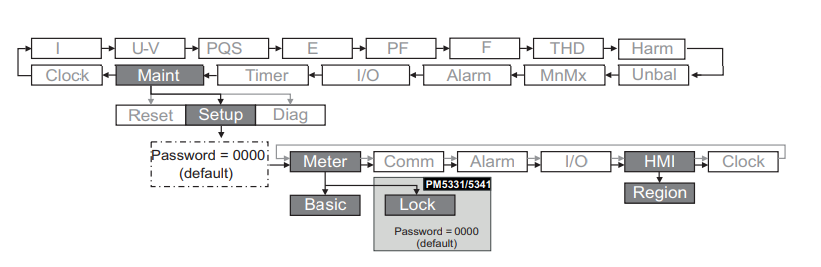
- Andare su Maint > Setup > Comm > Enet.
- Configurare l'indirizzo IP, la subnet mask e il gateway.
- Assicurarsi che il protocollo Modbus TCP sia abilitato (di solito Porta 502).
RS485
NOTE: RS485 Device Addresses
- You MUST give each device on the RS485 bus a unique address. Check the manual of the device on how to do this.
- Use lower addresses first (1, 2, ...) because the SmartgridOne Controller will find them faster!
- For each device, it is generally recommended to stick with the factory default baud rate, parity, and stop bits. The SmartgridOne Controller will scan on those first.
Per configurare le impostazioni seriali (Baud rate, Parità, ID):
- Andare su Maint > Setup > Comm > Ser.
- Modificare l'Address (Unit ID), il baud e la parità per corrispondere alle impostazioni del vostro gateway.