
Come attivare la tua licenza Controller
Nota
Puoi ordinare l'hardware senza una licenza e acquistare il software separatamente (utilizzando il nostro calcolatore prezzi/modulo d'ordine) solo quando l'hardware viene messo in servizio.
Hai 60 giorni per assegnare la licenza a un EMS attivo. Trascorso questo periodo, l'EMS potrebbe non funzionare correttamente senza una licenza.
Le licenze possono essere acquistate solo da installatori o grossisti. I clienti finali non possono acquistare direttamente le licenze da noi.
1. Configura
Utilizza il Webshop per configurare sia l'hardware che i componenti software.
2. Effettua l'ordine
Una volta effettuato l'ordine con il software incluso, il codice licenza viene generato istantaneamente.
3. Ricevi il codice licenza e la fattura
- Il codice licenza verrà inviato via email immediatamente dopo aver effettuato l'ordine.
- La fattura verrà creata e inviata via email immediatamente dopo aver effettuato l'ordine.
4. Collega la licenza al tuo Controller
Vai alle impostazioni dell'app e scorri fino a "Licenze".
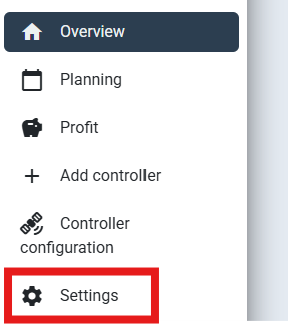
Usa il codice licenza ricevuto via email e inseriscilo per richiedere la licenza.
Una volta che la licenza è stata richiesta, apparirà nella panoramica delle licenze richieste, dove potrai vedere:
- Tutte le chiavi licenza richieste
- La data di attivazione
- La data di disattivazione
- Se la licenza è attualmente attiva o meno
Domande e Risposte
Posso acquistare licenze residenziali o commerciali senza collegarle in anticipo a un EMS specifico?
Sì, puoi acquistare licenze senza collegarle a un numero di serie EMS specifico. Dopo l'installazione dell'EMS, l'installatore può selezionare e assegnare una licenza a quell'EMS. Questo ti permette di acquistare licenze in grandi quantità e attivarle in un secondo momento.