
Battery charging schedule
You can set a charging schedule for the global minimum battery charge.
Log in to the SmartgridOne Controller and go to ‘Settings’→ ‘Advanced Settings’. Under the ‘Storage state of charge scheduling’ section, you can specify rules for times when the battery charge should have a certain minimum percentage.
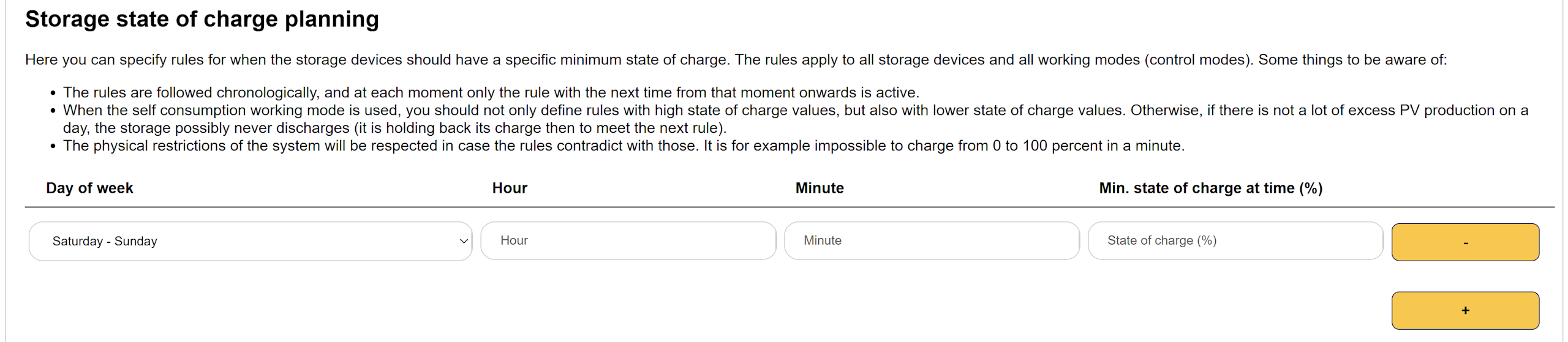
Keep the following things in mind:
Warning
- The charging schedules requires that a local control mode is set for storage. If set to "Don't control", the charging schedule will not be executed.
- The charging schedule only works with local control modes, so it may not be executed if there is an external signal active.
Note
The percentage set is a minimum, but not a maximum. The control algorithm can charge the batteries to a higher percentage if this is deemed more optimal.
Note
The rules are followed chronologically, and at any time only the rule with the next highest time is active as of that moment.
Note
When self-consumption is controlled, you may need to define rules not only with high battery percentages, but also with lower battery percentages. Otherwise, the batteries might not discharge on days with little surplus PV production (to meet the next rule set!).
Note
If you have multiple batteries, the set percentage refers to the battery capacity-weighted average of the percentages of the individual batteries. For example, if you have two 10kWh batteries, one charged to 80% and one to 60%, then the overall battery percentage is 70%. However, efforts are made to charge the batteries as evenly as possible, but due to external factors this is not always possible.
Note
The physical limitations of the system are respected if the rules contradict them. For example, it is impossible to load from 0 to 100 % in a minute.