
Image Widget
This widget is used to show a image.
Settings
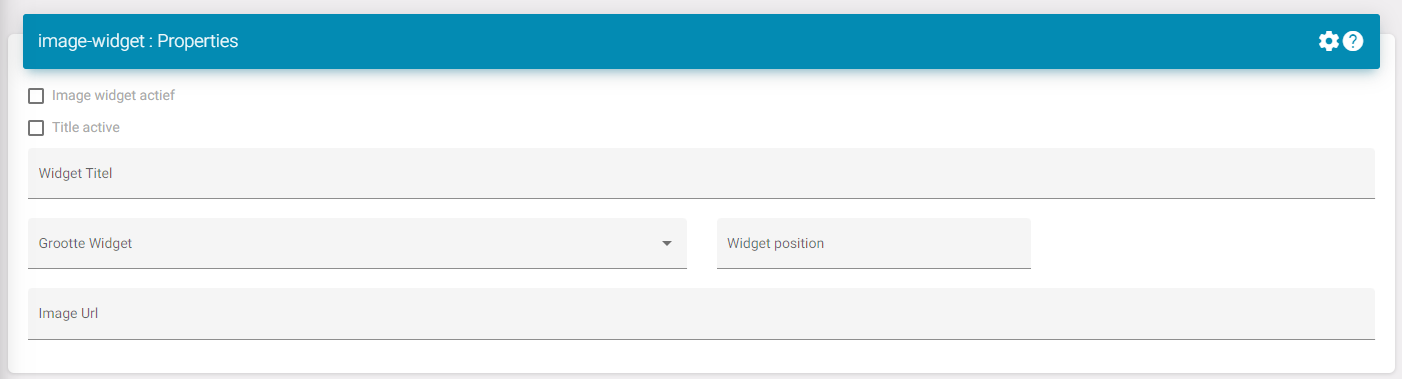
Widget active: Shows the widget on the dashboard.
Title active: If you are happy with your result you can also choose to hide the title this will make it so the border and title on top disappear. Be wary that you will not be able to enter the settings page (This can be deleted or changed in the JSON).
Widget title: Title for the widget.
Widget size: This is if you want to see multiple widgets next to each other.
To know what to select you need to see the dashboard as 12 divisions. Here is a list to see how much divisions a size takes:
-
XXL: Full size/ standard; 12/12
-
XL: 10/12
-
L: 8/12
-
M: Half; 6/12
-
S: 4/12
-
XS: 2/12
Widget position: This is the position of the widget in the list on the dashboard.
File Management feature for this.