
SMA Integration
Note
Note
Local intervention requires knowledge about the data logger or inverter. For recurring costs, please refer to the SMA API pricing.
Connection Methods
1. Local Intervention with Free Data Push
Using SMA Data Logger
If you have one of these SMA data loggers:
- Sunny Webbox
- SMA Home Manager
- SMA EnnexOS Datamanager
Follow these steps:
- Log in to the inverter using your credentials
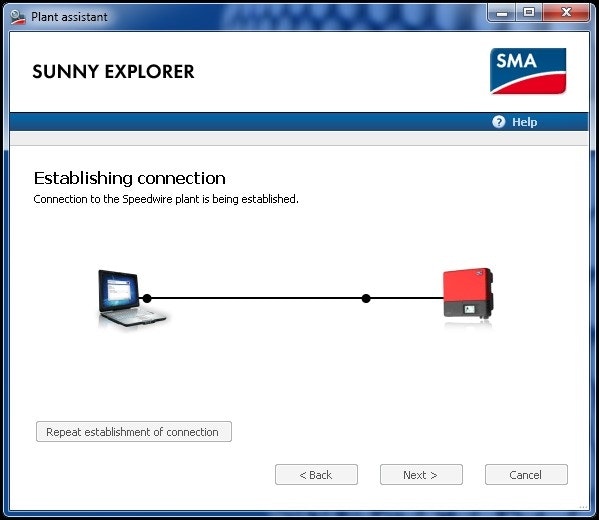
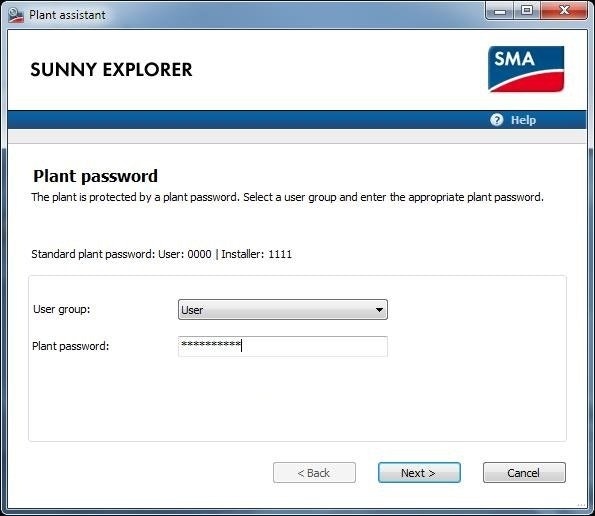
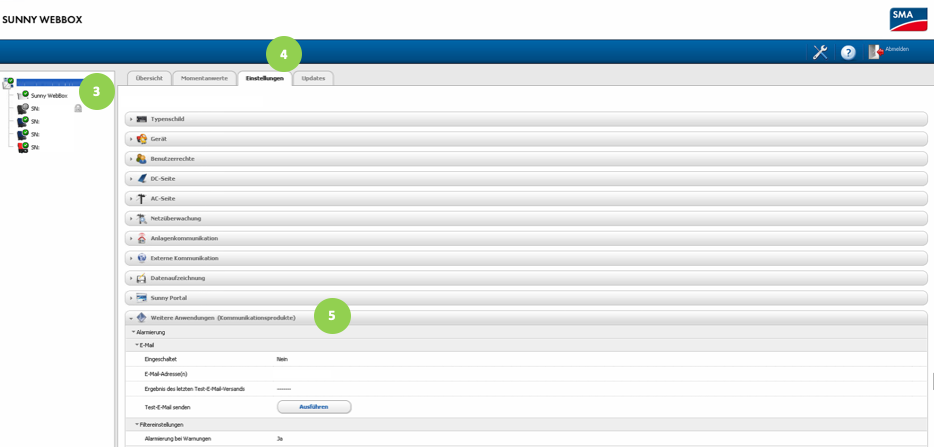
Note
Note
If you've forgotten your PUK code, contact SMA support to retrieve it.
For FTP export setup, see FTP Push for SMA.
Without SMA Data Logger
If your inverter has an RJ45 port:
- Follow the same procedure as Using SMA Data Logger
If your inverter doesn't have an RJ45 port:
- Connect to the SmartgridOne or a compatible data logger
2. Remote FTP Push Setup (No API Costs)
- Log in to ennexOS
- Select your installation
- Click "select device" at the top and choose the data manager
- Navigate to "configuration"
- Access "parameters" and configure the settings
Note
Note
Request FTP credentials by creating a ticket on https://eniris.io
3. SMA Cluster Controller Configuration
To set up data push to Eniris Insights:
- Access the controller via its IP address
- Navigate to "grid management services"
- Configure FTP settings:
- Server: ftp2.eniris.be
- Username & password: Available upon request at info@eniris.be
Last updated March 11, 2026Edit this page